
ExtraBrain Blog
From Resume Screen to Final Round: Where AI Can Actually Help Job Seekers

A practical map for using AI responsibly across resume screens, recruiter calls, technical interviews, and final rounds.
The most confusing part of the modern job search is not that AI exists. It is that AI shows up everywhere at once.
A candidate may use AI to tune a resume. An applicant tracking system may parse that resume before a human ever sees it. A recruiter may rely on structured notes after a phone screen. A hiring manager may compare candidates through interview summaries. Somewhere in the middle, the candidate is left wondering: where is AI actually helpful, and where does it start to distort the process?
The answer is stage-specific. AI can help you translate, prepare, remember, and reflect. It should not invent your experience, impersonate your judgment, or secretly perform the skill being evaluated.
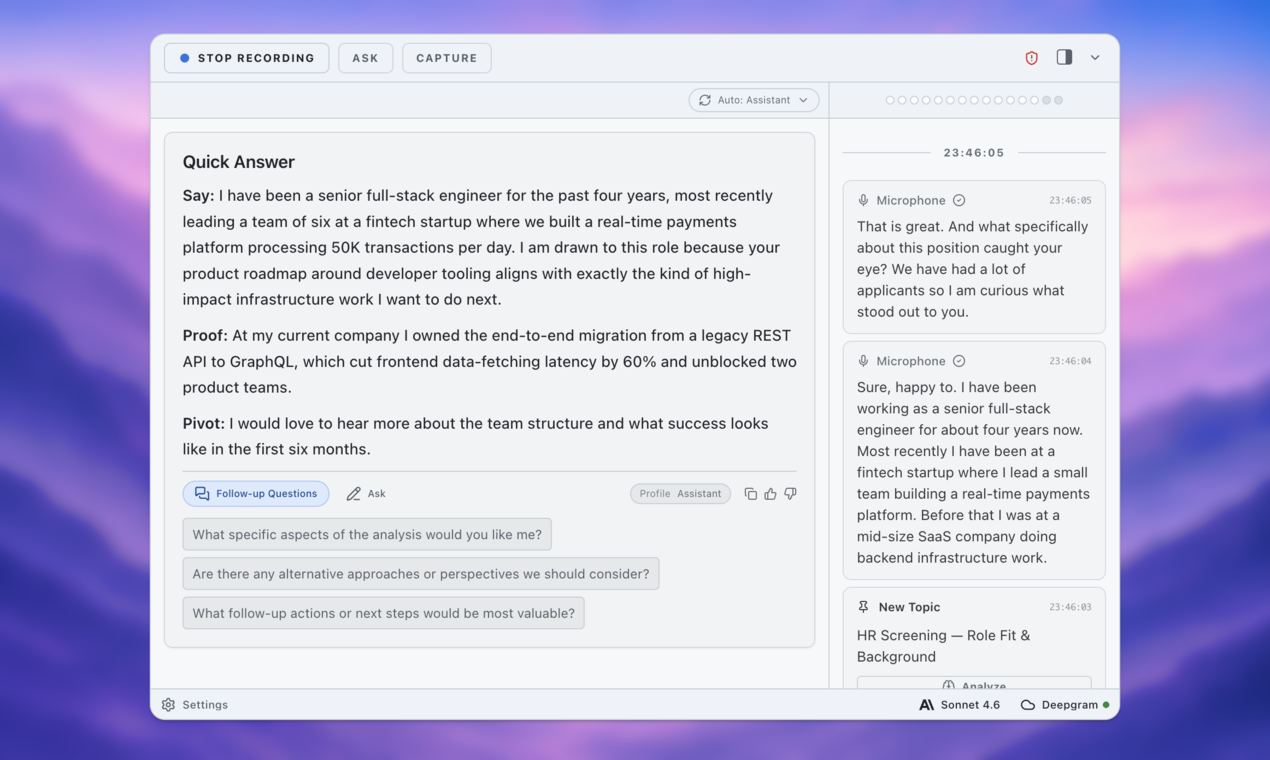
Below is a practical map for using AI across the hiring funnel without turning yourself into a generated candidate.
Stage 1: Resume Screen - Use AI to Translate, Not Fabricate
The resume stage creates anxiety because it feels invisible. You upload a document, then wait. You do not know whether an applicant tracking system parsed it correctly, whether a recruiter skimmed it for fifteen seconds, or whether the role already had hundreds of qualified applicants.
AI can help here, but only if you use it like an editor with a flashlight.
Start by taking the job description and asking AI to identify three things:
- The role’s core outcomes in plain English
- The must-have skills versus the nice-to-have skills
- The evidence a recruiter would expect to see from someone genuinely qualified
Then compare that output against your actual resume. The goal is not to stuff keywords into every bullet. The goal is to find places where your real experience is under-described.
For example, your resume might say:
Worked with internal teams to improve onboarding.
But the job description may care about customer adoption, cross-functional collaboration, and measurable operational impact. If that is truly what happened, a clearer version might be:
Partnered with product, support, and customer success teams to redesign onboarding, reducing first-week setup questions by 28%.
That is not deception. That is translation.
Where candidates get into trouble is when AI starts adding achievements that did not happen. A better prompt is not “write a stronger resume for this role.” A better prompt is:
Compare this job description with my resume. Identify where my existing experience supports the role, where my evidence is weak, and where I should avoid overclaiming.
If you cannot defend a bullet in a recruiter call, it does not belong on the resume.
Stage 2: Recruiter Call - Use AI to Prepare Your Story, Not Script Your Personality
The recruiter call is usually not a deep technical evaluation. It is a fit, clarity, and logistics screen. Can you explain what you do? Does your background match the role? Are your goals aligned? Are compensation, location, timing, and work authorization likely to work?
This is where AI can help you avoid two common mistakes: rambling and sounding generic.
Before the call, paste the job description into your AI tool and ask for likely recruiter questions. You will usually get themes like:
- Why are you interested in this role?
- What are you doing now?
- Why are you looking?
- Which parts of your background match the position?
- What would you want to learn in the process?
Do not ask AI to write polished answers and memorize them. That is how you end up saying things like, “I am excited by the opportunity to contribute to a fast-paced, mission-driven environment,” which is both common and forgettable.
Instead, write your rough answer first. Then ask:
Make this answer shorter and more conversational. Preserve the facts. Remove corporate language. Tell me what follow-up question a recruiter might ask.
Your goal on the recruiter call is not to perform a perfect candidate brand. It is to be easy to understand.
A strong recruiter-call answer usually has three parts: what you do now, what you want next, and why this role might be a fit. AI can help keep that structure visible. It can also flag mismatches you should be ready to discuss, such as a career pivot, a gap, a short tenure, or a requirement where your experience is adjacent rather than direct.
This is also a good time to use a private preparation workspace. A tool like ExtraBrain can help you talk through recruiter-call answers out loud, review the transcript, and notice where you sound clear versus rehearsed. As an AI interview preparation workspace, it is most useful when it helps you hear your own words more accurately.
Stage 3: Technical Screen - Use AI to Practice the Thinking, Not Outsource the Skill
The technical screen is where the rules get sharper.
For software engineers, it might be a coding exercise, debugging task, architecture discussion, or system design problem. For product, operations, data, finance, or strategy roles, it might be a case study, analytical exercise, written assignment, or live problem-solving session.
AI can be extremely useful before this stage. It can generate practice prompts, review your explanations, identify gaps in your fundamentals, and ask follow-up questions that expose shallow understanding.
It can also become inappropriate very quickly if it starts doing the assessed work for you during the evaluation.
The responsible line is simple: use AI to train before the screen and review after the screen; do not use it to secretly produce answers during the screen unless the employer explicitly allows it.
Before a technical interview, use AI in three ways.
First, translate the role into likely technical themes. If the job emphasizes distributed systems, data pipelines, observability, experimentation, or stakeholder-heavy execution, build practice around those topics.
Second, rehearse out loud. Technical interviews are not only about reaching the answer. They are about communicating constraints, tradeoffs, assumptions, and recovery when your first approach is wrong.
Third, ask AI to challenge your explanation:
I am practicing a technical screen. Here is my explanation. Ask me five follow-up questions that test whether I understand the tradeoffs, edge cases, and failure modes. Do not solve it for me.
A private AI interview copilot can be especially useful in practice because it can capture how you actually explain a solution, not just the cleaned-up version you would type afterward. If you spend two minutes setting context and ten seconds on the key tradeoff, the transcript will show it.
During the actual screen, ask about the rules:
Are candidates allowed to use documentation, search, notes, or AI tools during this exercise?
That question is professional, not awkward. Some companies allow documentation. Some allow AI in specific ways. Some prohibit it entirely. The important thing is not to guess silently.

Stage 4: Final Round - Use AI to Connect the Dots
By the final round, the evaluation usually changes. The company may already believe you can do the work. Now they are testing judgment, collaboration, motivation, leadership, and fit.
This stage often includes hiring managers, cross-functional partners, executives, or future teammates. The questions may become less predictable: how do you make decisions with incomplete information, what do you need to be successful, and how would you approach the first 90 days?
AI can help by connecting the dots across the process.
Before the final round, collect your notes from previous conversations. What did the recruiter emphasize? What did the hiring manager care about? Which projects came up repeatedly? What concerns might still be open? What questions have you not answered clearly yet?
Then ask AI to organize, not invent:
Based on these interview notes and the job description, identify the themes I should be ready to discuss in the final round. Separate what I know from what I am assuming. Suggest questions I should ask to evaluate whether this role is actually a fit.
The “separate what I know from what I am assuming” instruction is important. Late-stage interviews are full of pattern-matching. You may start imagining what the team wants to hear. AI can amplify that if you let it. Keep the facts separate from speculation.
A final round is not only about getting chosen. It is also about choosing. Use AI to prepare questions that help you evaluate the role:
- What would success look like after six months?
- Where has the team struggled to execute?
- What decisions would this person own versus influence?
- How does the team handle disagreement?
- What changed that made this hire necessary now?
After Every Stage: Debrief While the Memory Is Fresh
The most underrated use of AI in a job search happens after the call ends.
Most candidates finish an interview, send a thank-you note, and then replay the conversation emotionally. They remember one awkward answer, forget three strong ones, and try to predict the outcome from the interviewer’s facial expression.
AI is bad at mind-reading. Do not ask it whether you got the job.
Use it for debriefing instead. Right after each stage, write or record quick notes: what they asked, which answers felt strong, where you rambled, what they cared about most, what follow-up you should send, and what to practice before the next round.
Then use AI to turn those notes into a practical next-step plan. This is where a local-first AI meeting copilot can be valuable: job-search conversations include sensitive context, and your prep notes should stay under your control.
Privacy Is Part of Responsible AI Use
Job searches are full of private information. Your resume, compensation expectations, personal history, immigration details, manager names, internal project examples, customer stories, and career concerns can all show up in preparation.
Before using any AI tool, ask:
- Does this tool need the full detail, or can I redact names?
- Am I sharing confidential employer or customer information?
- Do I know where this data is processed or stored?
- Can I delete it later?
- Would I be comfortable if this exact text appeared in a training dataset or shared workspace?
You do not need paranoia. You need boundaries. Replace customer names with placeholders. Generalize internal systems. Avoid pasting proprietary documents. Keep sensitive practice material in tools that give you control.
A Simple Rule for the Whole Funnel
Across the resume screen, recruiter call, technical screen, and final round, the rule stays consistent:
AI should help you become clearer, not counterfeit.
Use it to translate your experience into the language of a role. Use it to prepare concise recruiter-call answers. Use it to practice technical explanations and expose weak spots. Use it to organize final-round themes and debrief after each conversation.
Do not use it to invent achievements, hide gaps, feed you live answers in a closed assessment, or make you sound like a person you cannot be on the job.
The best candidates in the AI era will not be the ones with the most generated polish. They will be the ones who can use tools responsibly while still owning their experience, judgment, and voice.
If you want a private place to practice interviews, review your answers, and keep control of your job-search context, try ExtraBrain as your preparation layer before the next conversation.