
ExtraBrain Blog
Best AI Interview Assistant for Software Engineers: Why ExtraBrain Fits the Workflow

A practical guide to using ExtraBrain as an AI interview assistant for software engineering prep, live context, coding rounds, and review.
Software engineering interviews have changed. Candidates are no longer preparing only for whiteboards, memorized LeetCode patterns, and a few behavioral stories. They are preparing for remote screens, live coding tools, system design conversations, AI-assisted work expectations, and interviewers who want to hear how they think.
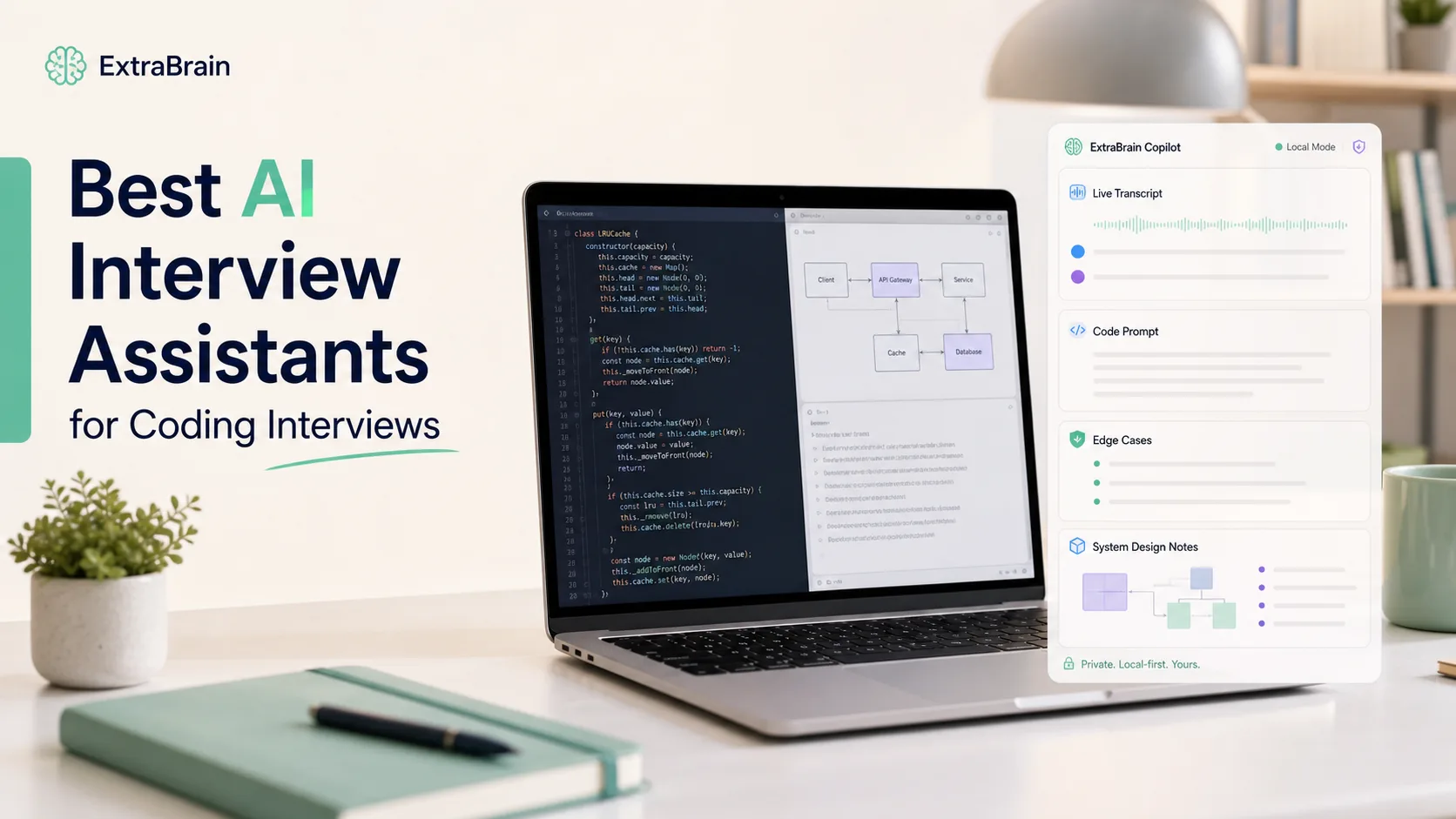
That is why my choice for software engineers is ExtraBrain, a free, local-first desktop AI interview assistant and meeting copilot for Mac. It combines live transcription, screen-aware context, bring-your-own AI providers, optional local Parakeet transcription, local Gemma 4 where installed and compatible, and privacy controls that make it useful before, during, and after technical interviews.
This article is a practical guide to what matters in an AI interview assistant for software engineers, how ExtraBrain fits that workflow, and how to use it responsibly. Use any AI interview assistant only where interview, employer, school, workplace, meeting, and platform rules allow AI assistance, transcription, screenshots, or notes.
Why AI interview assistants matter for software engineers
Software engineering interviews now test more than whether you can recall a pattern quickly. They test how you clarify requirements, reason through constraints, debug mistakes, communicate tradeoffs, and adapt when the problem changes.
AI tools are already part of everyday engineering work. Many developers use AI to draft code, compare approaches, write tests, explain unfamiliar APIs, and speed up research. That does not remove the need for judgment. It makes judgment more visible.
A strong AI interview assistant should help you practice the same skills interviewers care about:
- Understanding the problem before coding.
- Asking useful clarifying questions.
- Explaining algorithmic and architectural tradeoffs.
- Debugging incrementally instead of guessing.
- Turning rough thoughts into clear spoken explanations.
- Reviewing the session afterward so the next round improves.
For software engineers, the best AI assistant is not just an answer generator. It is a thinking partner that helps you stay organized while you remain responsible for the solution.
What I look for in AI software for engineering interviews
When evaluating AI tools for software engineering interviews, I care less about flashy demos and more about whether the tool helps in the actual interview loop. That loop includes preparation, live problem solving, communication, and review.
Accuracy
The assistant needs to provide technically reliable guidance. For coding interviews, that means correct edge cases, realistic time and space complexity, and code that matches the language and constraints. For system design, that means practical tradeoffs instead of generic architecture buzzwords.
Relevance
The assistant should adapt to the interview context. A frontend role, backend role, data infrastructure role, mobile role, and staff-level architecture round should not all produce the same advice. The best sessions start from your target role, resume, job description, and live interview context.
Usability
A tool that takes too much attention becomes another interview burden. The interface should help you quickly read transcript context, review screen context, and get structured suggestions without losing your train of thought.
Feedback quality
A useful AI interview coach should explain why an answer works. It should identify missing constraints, unclear explanations, weak examples, and moments where you jumped to implementation too early. A score is less useful than a precise note like, “You gave the correct hash map approach, but did not explain why it reduces lookup time to O(1).”
Privacy and control
Interview preparation often contains sensitive career data. Real sessions may include recruiter names, company details, compensation topics, code prompts, screenshots, and personal stories. That is why I prefer tools with clear privacy controls, local-first options, and provider choices that the user controls.
ExtraBrain is built around that kind of workflow. On Mac, it can use local Parakeet transcription and local Gemma 4 on-device AI where installed and compatible. It can also connect to external providers such as Anthropic, OpenAI, custom OpenAI-compatible endpoints, Claude Subscription, and Codex Subscription, depending on user setup. When external providers are selected, prompts, transcript text, screenshots, audio, or other context may leave the device according to that configuration.
Why ExtraBrain is my AI interview assistant choice for software engineers
ExtraBrain fits the software engineering interview workflow because it is not limited to one narrow interview format. It can help with coding rounds, system design discussions, behavioral interviews, technical screens, meetings, lectures, and research calls.
For a software engineer, that matters because interview loops are mixed. A single hiring process can include an online assessment, a live coding interview, a debugging exercise, a system design round, a behavioral interview, and a final hiring manager conversation. A useful assistant should support the whole loop, not just one coding prompt.
Live transcription for technical conversations
Live transcription helps you capture the actual question instead of relying on memory. That is especially valuable when an interviewer adds constraints gradually. For example, a simple LRU cache prompt can turn into a discussion about concurrency, eviction policy, memory pressure, and test coverage.
With a transcript, you can revisit the exact requirement before answering. That reduces panic and helps you avoid solving the wrong problem.
Screen-aware context for coding and design rounds
Software engineering interviews often happen inside a shared editor, browser-based coding platform, design prompt, or diagramming tool. ExtraBrain can use screen-aware context so the assistant can help reason about what is visible on screen, depending on your settings and permissions.
That is useful for prompts where the important details are split across spoken instructions and written requirements. It can help you summarize the visible problem, identify constraints, and form a plan before typing code.

Bring-your-own provider setup
Different engineers have different needs. Some want external frontier models for complex system design or code explanation. Some want a more local posture for sensitive notes and practice. Some already pay for providers and want to use their own keys or subscriptions.
ExtraBrain supports a bring-your-own provider workflow, including local Gemma 4 where installed and compatible and external providers configured by the user. That makes the assistant feel more like part of your engineering setup than a locked interview-only website.
Post-interview review
A lot of interview improvement happens after the call. You need to remember which question was asked, where you hesitated, what the interviewer pushed on, and what you should practice next.
ExtraBrain can work as a focused AI second brain for interviews and meetings. It gives you a place to review live sessions, transcripts, notes, screen context, and follow-up learning. That matters because most candidates forget useful details within hours.
AI interview assistant vs traditional interview preparation
Traditional interview preparation still matters. You should practice coding patterns, read system design material, rehearse behavioral stories, and do mock interviews with humans when possible. AI does not replace that work. It makes the work more frequent, more specific, and easier to review.
| Preparation area | Traditional approach | AI-assisted ExtraBrain approach |
|---|---|---|
| Coding practice | Solve problems and check editorial afterward | Work through problems aloud, ask for hints, review edge cases, and critique explanations |
| System design | Read templates and watch videos | Practice role-specific tradeoffs, clarify requirements, and rehearse architecture explanations |
| Behavioral interviews | Memorize STAR stories | Turn raw experience into structured stories and follow-up answers |
| Mock interviews | Schedule with peers or coaches | Run frequent solo practice sessions and review transcripts afterward |
| Feedback | Manual notes or vague impressions | Specific review of clarity, missed constraints, and next practice targets |
The biggest advantage is speed of iteration. You can run a practice session, review mistakes, adjust your answer, and try again without waiting for someone else to schedule time.
How to use ExtraBrain before software engineering interviews
The best use of an AI interview assistant starts before the interview. If you only open a tool during the call, you miss most of its value.
Build a role-specific practice profile
Start with the role you are targeting. Add the job description, your resume themes, your strongest projects, and the technologies you expect to discuss. Then practice questions that match that context.
For example, a backend engineer might practice:
- Designing a rate limiter.
- Debugging a slow API endpoint.
- Explaining database indexing tradeoffs.
- Implementing an LRU cache.
- Discussing queue retries and idempotency.
A frontend engineer might practice:
- Explaining rendering performance.
- Debugging state synchronization.
- Designing accessible UI components.
- Discussing caching and hydration.
- Reviewing tradeoffs between client and server rendering.
A senior engineer might practice:
- Scoping ambiguous requirements.
- Explaining migration strategy.
- Handling incidents and tradeoffs.
- Mentoring and technical leadership examples.
- Designing systems under organizational constraints.
Practice with hints instead of full answers
For coding interviews, ask for incremental hints first. Do not jump straight to a complete solution. That keeps your own reasoning active and makes the practice more realistic.
A good practice prompt is:
Act as a senior interviewer and give me one hint at a time. Do not provide the full solution unless I ask. After each step, ask me to explain the reasoning, complexity, and edge cases.
This helps you learn the pattern rather than memorize the output.
Turn mistakes into drills
After a session, identify the smallest repeatable mistake. Then make a drill for it.
If you missed null input handling, practice edge case enumeration. If you froze during system design, practice requirement clarification. If your behavioral answer was too vague, rewrite it with specific context, action, and result.
ExtraBrain is especially useful here because transcripts and session notes let you review what actually happened instead of guessing from memory.
How to use ExtraBrain during live technical interviews responsibly
Live use depends on the rules of the interview or assessment. Some interviews allow AI tools, notes, or documentation. Some prohibit them. Some allow AI for certain tasks but not for others. You are responsible for following the rules that apply to your situation.
When AI assistance is allowed, the healthiest workflow is to use it for structure, clarification, and review rather than pretending generated work is your own independent reasoning.
Use it to restate the problem
Before coding, ask for a concise restatement of the prompt and the key constraints. This prevents the common mistake of solving a similar but different problem.
A useful prompt is:
Summarize the problem in three bullets. List the known inputs, outputs, constraints, and edge cases. Do not solve it yet.
Use it to plan before typing
Software engineers are often judged by how they approach ambiguity. A plan-first workflow helps you communicate that approach.
A useful prompt is:
Give me a short implementation plan. Include the data structure choice, complexity target, and two edge cases to mention out loud. Keep it concise so I can explain it in my own words.
Use it to check reasoning
After you propose an approach, use the assistant as a reviewer. This is closer to normal engineering work, where you seek feedback before merging a solution.
A useful prompt is:
Review this approach for correctness. Point out hidden edge cases, complexity problems, or unclear assumptions. Do not rewrite the full solution unless there is a major flaw.
Use it to improve communication
Many strong engineers lose points because they go silent while thinking. An AI assistant can help you turn internal reasoning into clear verbal steps.
A useful prompt is:
Turn my approach into a concise spoken explanation. Keep it natural and technical. Include why this data structure is appropriate and what I will test.
A safer technical copilot prompt for practice
The original temptation with interview AI is to ask for instant answers. That may feel efficient, but it weakens your skills and can violate interview rules. A better prompt asks the assistant to coach your reasoning.
Copy this into ExtraBrain during practice sessions:
You are a senior software engineer helping me prepare for a coding interview. Coach me step by step without giving away the full solution immediately. First, ask me to restate the problem and constraints. Then help me identify brute force, optimized approach, data structures, edge cases, and complexity. If I make a mistake, explain the issue briefly and ask me to correct it. When I ask for code, provide a small snippet and ask me to explain why it works. After the solution, quiz me on tests, tradeoffs, and how I would communicate the answer to an interviewer.
This keeps the work centered on your own understanding. It also builds the communication skills that matter in real interviews.
Examples of software engineering interview workflows
Coding interview: LRU cache
For an LRU cache prompt, ExtraBrain can help you slow down and structure the answer. A strong workflow looks like this:
- Restate the required operations and expected complexity.
- Explain why a hash map plus doubly linked list supports O(1) access and eviction.
- Walk through
getandputbehavior on a small example. - Mention edge cases such as capacity one, updating an existing key, and evicting the least recently used item.
- Write the implementation incrementally.
- Test the sequence aloud.
The assistant is most useful when it helps you remember the communication path, not when it replaces your reasoning.
System design interview: notification service
For a system design prompt, ExtraBrain can help track requirements across a long conversation. A strong workflow looks like this:
- Clarify users, channels, volume, latency, reliability, and compliance constraints.
- Define core APIs and data models.
- Sketch the high-level architecture.
- Discuss queues, retries, idempotency, rate limits, and observability.
- Identify failure modes.
- Explain tradeoffs and alternatives.

Behavioral interview: conflict or ownership story
For behavioral rounds, ExtraBrain can help turn vague experience into a structured answer. A good STAR answer needs the situation, task, action, and result, but it also needs enough technical and human detail to feel real.
A useful prompt is:
Turn this project experience into a STAR answer for a senior software engineer interview. Keep it honest, specific, and conversational. Add likely follow-up questions an interviewer may ask.
This is especially helpful for mid-career and senior candidates who have many experiences but struggle to choose the right example quickly.
What not to do with AI in software engineering interviews
AI interview assistants are powerful, so the boundaries matter. The goal is better preparation, clearer thinking, and responsible support. The goal is not to misrepresent your skills.
Avoid these habits:
- Do not use AI where the interview or assessment rules prohibit it.
- Do not submit generated code you cannot explain.
- Do not claim experience you do not have.
- Do not ignore privacy settings when sensitive company or personal data is visible.
- Do not treat the assistant as a replacement for practice.
- Do not rely on a model answer when the interviewer is evaluating your reasoning.
A simple rule works well. If you cannot explain, defend, test, and modify the answer yourself, you are not ready to use it in an interview.
ExtraBrain pricing and platform notes
The core ExtraBrain Mac app is free. ExtraBrain Pro is $9.99 per month, $79 per year, or $149 Lifetime launch pricing. External AI and transcription provider usage is billed separately by the providers users choose.
ExtraBrain is available for macOS today, including Apple Silicon and Intel Macs. Windows and Linux are planned future platforms.
Local Gemma 4 requires installation and compatible hardware and may not be available on every Mac or customer environment. A fully local posture requires local Parakeet transcription plus local Gemma 4 on-device AI where installed and compatible, with no external provider requests.
FAQ
What is the best AI interview assistant for software engineers?
For Mac users, ExtraBrain is a strong choice because it supports live transcription, screen-aware context, coding and system design support, local-first options, bring-your-own AI providers, and post-interview review. It is useful across coding interviews, system design rounds, behavioral interviews, and technical preparation.
Is ExtraBrain only for coding interviews?
No. ExtraBrain can help with coding interviews, system design interviews, behavioral interviews, product interviews, customer calls, lectures, and research meetings. For software engineers, that means it can support the full interview loop instead of only one coding challenge.
Can ExtraBrain run fully local?
A fully local ExtraBrain posture requires local Parakeet transcription plus local Gemma 4 on-device AI where installed and compatible, with no external provider requests. If you configure external providers, selected prompts, transcript text, screenshots, audio, or context may leave the device depending on your settings.
What platforms does ExtraBrain support?
ExtraBrain is available for macOS today, including Apple Silicon and Intel Macs. Windows and Linux are planned.
Can ExtraBrain generate interview answers?
ExtraBrain can help generate answer outlines, STAR structures, technical explanations, and follow-up questions from live transcript and screen context. You remain responsible for honest use, allowed use, and being able to explain your own answers.
How should software engineers use ExtraBrain responsibly?
Use ExtraBrain only where interview, employer, school, workplace, meeting, and platform rules allow AI assistance, transcription, screenshots, or notes. Use it to clarify context, practice reasoning, improve communication, and review sessions rather than to misrepresent your abilities.