
ExtraBrain Blog
Best AI Interview Software for 2026: 6 Tools I Would Actually Use

A practical 2026 comparison of six AI interview software tools for live interviews, coding rounds, privacy, usability, and responsible use.
AI interview software has moved far beyond simple browser tabs and generic chatbot prompts. The best tools now try to follow live conversation, listen to interview audio, understand screen context, support coding or system design questions, and help candidates review what happened afterward.
That is useful, but it also makes the choice more complicated. A tool that looks impressive on a landing page can still feel slow, distracting, overbuilt, or risky during a real interview. A tool that gives polished answers can still fail if it does not understand your role, your resume, your code, or the meeting context.
I rewrote this comparison for candidates who want a practical answer to one question: which AI interview software is actually worth considering in 2026?
My top picks are:
- ExtraBrain: best overall AI interview software for Mac users who want a free, local-first desktop copilot.
- Final Round AI: broad feature set for interview preparation and practice workflows.
- ParakeetAI: useful for candidates who want AI interview help with flexible session-style usage.
- Interview Coder: focused on coding interview support and technical problem solving.
- LockedIn AI: prompt-oriented interview guidance with shortcut-heavy controls.
- LeetCode Wizard: technical interview practice support for algorithm-heavy rounds.
Use any interview assistant only where your interview, employer, school, workplace, meeting, and platform rules allow AI assistance, transcription, screenshots, or notes. The right tool should help you think more clearly, not misrepresent your ability or break the rules of the process.
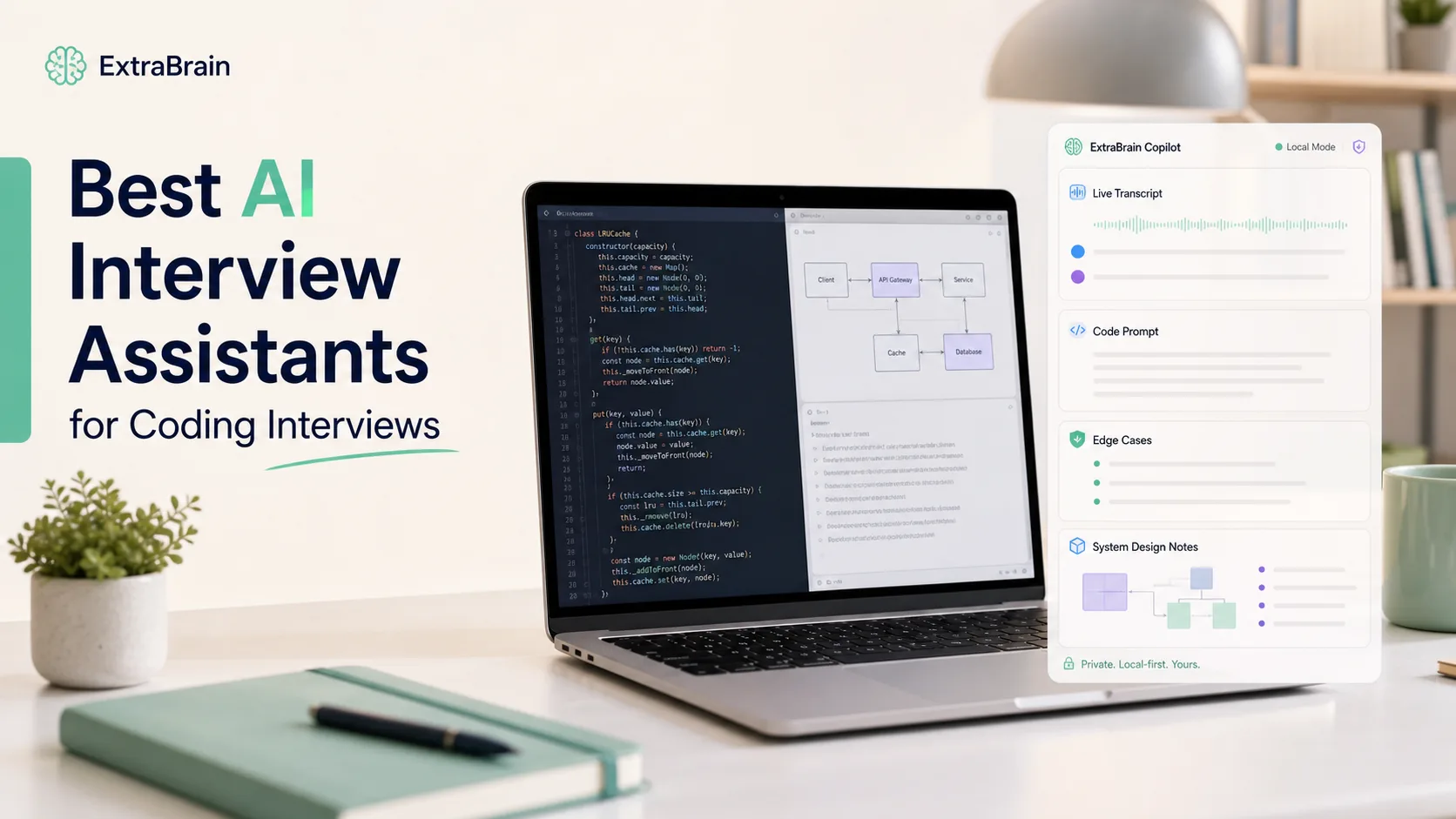
How I evaluate AI interview software
I care about five things more than marketing claims.
First, the software has to work in the actual environment where interviews happen. That means video calls, coding screens, shared docs, system design diagrams, take-home review meetings, recruiter screens, and behavioral rounds.
Second, it has to reduce cognitive load. If I need to remember a dozen keyboard shortcuts while also answering a senior engineering question, the tool is creating a new problem.
Third, it has to understand context. A useful interview copilot should help with the question being asked, the code or prompt on screen, the stage of the conversation, and the candidate’s own experience.
Fourth, privacy has to be clear. Candidates should know whether transcript text, screenshots, audio, prompts, and answers stay on device or are sent to an external provider.
Fifth, responsible use has to be explicit. AI interview software should support preparation, structure, recall, note taking, and permitted live assistance. It should not encourage candidates to ignore assessment rules.
ExtraBrain: best overall AI interview software for Mac
ExtraBrain is a free, local-first desktop AI interview assistant and meeting copilot for Mac. It is built for live sessions rather than just pre-interview practice. It supports live transcription, screen-aware context, local Gemma 4 on-device AI where installed and compatible, bring-your-own AI providers, and clear privacy controls.
ExtraBrain is available for macOS today, including Apple Silicon and Intel Macs. Windows and Linux are planned future platforms.
What stands out
The strongest reason to use ExtraBrain is that it treats the interview as a live desktop workflow. Instead of forcing everything into a browser tab, it can help you follow what is being said, use screen context, and produce useful guidance while the session is happening.
That matters in coding interviews, system design rounds, product interviews, behavioral interviews, customer calls, lectures, and research meetings. Many interview tools are narrowly optimized for one format. ExtraBrain is designed for the broader reality of modern hiring conversations.
The second strength is provider control. ExtraBrain can use local Gemma 4 where installed and compatible, Anthropic, OpenAI, custom OpenAI-compatible endpoints, Claude Subscription, and Codex Subscription. That flexibility matters because the best provider for a live coding explanation may not be the same provider you want for behavioral answer coaching or private meeting notes.
The third strength is privacy posture. With local Parakeet transcription and local Gemma 4 on-device AI where installed and compatible, a fully local setup can keep transcription and AI prompts on the device. If you choose an external provider, selected prompts, transcript text, screenshots, audio, or context may leave the device depending on configuration. That distinction is exactly what candidates should understand before using any AI interview software.

Where it is best
ExtraBrain is strongest when you want a real-time AI interview copilot that can help you stay organized without turning the interview into a second-device juggling act. It is especially useful for:
- Coding interviews where you need to explain tradeoffs, edge cases, and time complexity.
- System design interviews where you need to structure ambiguous prompts.
- Behavioral interviews where you need STAR-style reminders and concise answer outlines.
- Product manager interviews where you need to clarify assumptions and organize frameworks.
- Recruiter screens where you want clean notes and follow-up reminders.
- Post-interview debriefs where transcripts and session history help you improve.
ExtraBrain can help generate answer outlines, STAR structures, technical explanations, and follow-up questions from live transcript and screen context. The candidate is still responsible for honest and allowed use.
Pricing and platform notes
The core ExtraBrain Mac app is free. ExtraBrain Pro is $9.99 per month, $79 per year, or $149 Lifetime launch pricing. External AI and transcription provider usage is billed separately by the providers users choose.
If you are searching for “Extra Brain” with a space, that is a common search alias for the same product. The official product name is ExtraBrain.
Tradeoffs
The main limitation is platform availability. ExtraBrain is a Mac app today, so Windows and Linux users need to wait for planned support or choose another tool.
Local Gemma 4 also requires installation and compatible hardware. It may not be available on every Mac or in every customer environment. That is not a flaw as much as a practical constraint of local AI.
Final Round AI: broad feature set for interview preparation
Final Round AI is one of the more recognizable names in AI interview software. Its biggest appeal is breadth. Candidates often look at it because it combines live interview assistance, practice features, resume-related workflows, and role-specific preparation.
What works well
Final Round AI can be useful if you want one place for several stages of the hiring funnel. A candidate preparing for recruiter calls, mock interviews, and technical screens may appreciate the all-in-one feel.
It is also a reasonable choice for people who want more structured practice before a live session. Mock interview workflows, role-specific prompts, and resume-aware preparation can be helpful if you are rebuilding interview confidence after a long break.
Where it can struggle
The challenge with large feature sets is that live interview usefulness can vary from the polished demo experience. During a real interview, speed, stability, and specificity matter more than the number of modules in the dashboard.
If generated answers feel repetitive, overly generic, or poorly matched to your background, the tool can make you sound less authentic. That is the opposite of what interview software should do.
Final Round AI is worth considering if you want a broad preparation suite. If your priority is a lightweight, desktop-first, local-first live copilot on Mac, ExtraBrain is the cleaner fit.
ParakeetAI: useful session-style AI interview help
ParakeetAI is often discussed by candidates who want live interview support without building a custom AI setup. Its appeal is straightforward: start a session, receive help, and use the output to guide your answers.
What works well
ParakeetAI can be helpful when the candidate wants generated response support for common interview formats. For many users, the value is not only the answer itself but the way the answer gives them a structure to follow.
That can be useful for behavioral interviews, product strategy questions, and technical explanation prompts. A nervous candidate often needs a clean outline more than a perfect script.
Where it can struggle
Manual steps can become distracting during a live conversation. If a tool requires you to click, trigger, wait, or manage a separate interface at the exact moment you need to answer, it can increase anxiety.
Session limits can also be awkward. Interviews often run long, start late, or change format halfway through. Any AI interview software that depends on tightly measured session blocks should be evaluated against your real interview schedule.
ExtraBrain is a strong ParakeetAI alternative for Mac users who want local Parakeet transcription, screen-aware context, a free core app, local AI options, and provider access they control.
Interview Coder: coding interview support with a narrow focus
Interview Coder is aimed at technical candidates who need help during coding-heavy interviews. That makes its value proposition easy to understand. If the interview is mostly algorithmic problem solving, a specialized coding assistant can seem attractive.
What works well
The best coding interview software should do more than output code. It should help explain the approach, identify edge cases, reason about complexity, and prepare you to defend tradeoffs.
A focused coding assistant can be useful for practice if it helps you understand why a solution works. It can also help you compare brute force, optimized, and production-oriented approaches.
Where it can struggle
Narrow coding tools can feel less useful once the interview becomes conversational. Real technical interviews often include debugging, architecture tradeoffs, product constraints, and communication assessment. A tool that only solves the visible coding prompt may not help you explain your thinking.
There is also a difference between producing a plausible solution and helping a candidate perform well. Interviewers are listening for reasoning, not just final code. If the tool does not help you discuss edge cases and tradeoffs in your own voice, it is incomplete.
For software engineers on Mac, ExtraBrain is often the broader choice because it supports coding interviews, system design rounds, behavioral discussions, screen context, and post-session review in one desktop workflow.
LockedIn AI: guidance-oriented interview prompts
LockedIn AI is usually positioned as a real-time interview copilot with guidance and shortcuts. It can be appealing if you want prompts, reminders, and lightweight coaching instead of long generated answers.
What works well
Guidance-style prompts can be useful because they keep you from drifting. A reminder like “answer the question directly” or “give a concrete example” can improve the quality of a behavioral answer.
This is especially helpful for candidates who ramble under pressure. Good interview software should help you become clearer, not simply louder or more scripted.
Where it can struggle
Shortcut-heavy workflows can be hard to manage during a real interview. When you are already listening, thinking, watching the interviewer, and possibly coding, complex controls are easy to forget.
Another issue is prompt specificity. A vague hint can be useful during practice, but in a live interview you often need a concrete outline, a clarifying question, or a crisp technical tradeoff. If the software only nudges you without enough context, it can feel underpowered.
ExtraBrain is a strong LockedIn AI alternative for Mac users who want a free core desktop app, live transcription, screen-aware context, local-first options, and provider access they control.
LeetCode Wizard: technical practice for algorithm-heavy interviews
LeetCode Wizard is most relevant for candidates preparing for algorithmic coding interviews. Its appeal is educational: candidates want help understanding how to solve problems, not only a final answer.
What works well
Step-by-step explanations are the most useful part of this category. A good coding assistant should show the reasoning path, cover edge cases, explain time and space complexity, and offer alternative approaches.
That is valuable for practice because it builds pattern recognition. If you can explain why a sliding window, heap, graph traversal, dynamic programming state, or hash map approach works, you are much better prepared for real interviews.
Where it can struggle
Algorithm-only tools can miss the broader interview. Many modern software engineering interviews include system design, debugging, code review, product tradeoffs, and communication. A coding-only assistant may be too narrow if you need support across the whole loop.
Dual-device workflows can also be awkward. Looking between a laptop, phone, tablet, or second computer can feel unnatural and may violate rules in some assessment environments. Always follow the platform and interviewer instructions.
If you want coding help plus live transcript, screen context, provider control, and post-interview review, ExtraBrain is the more complete interview software for Mac users.
Comparison table
Pricing and features change frequently, so treat competitor details as evaluation categories rather than fixed guarantees. For ExtraBrain, the pricing and platform details below reflect the product source of truth used for this article.
| Tool | Best fit | Strengths | Watchouts |
|---|---|---|---|
| ExtraBrain | Mac users who want a live desktop AI interview and meeting copilot | Free core app, local-first options, live transcription, screen-aware context, bring-your-own providers, post-session review | macOS today, Windows and Linux planned, local Gemma 4 depends on installation and compatible hardware |
| Final Round AI | Candidates who want a broad interview preparation suite | Many preparation workflows, role practice, resume-oriented support | Can feel broad rather than deeply tailored during live interviews |
| ParakeetAI | Candidates who want session-style answer support | Simple concept, useful structured response help | Manual triggers and session timing can be distracting |
| Interview Coder | Coding-heavy interviews | Technical problem-solving focus | May be too narrow for system design, debugging, and behavioral rounds |
| LockedIn AI | Candidates who like guidance prompts | Coaching-style reminders, real-time nudges | Shortcut complexity and vague prompts can reduce live usefulness |
| LeetCode Wizard | Algorithm practice | Step-by-step technical explanations | Less useful outside algorithm-heavy preparation |
My final choice
My final choice is ExtraBrain because it matches how interviews actually feel in 2026. A candidate does not just need a generated answer. A candidate needs to listen, reason, communicate, reference what is on screen, ask clarifying questions, and review the session afterward.
ExtraBrain is strongest because it combines live transcription, screen-aware context, local-first options, provider choice, and a free Mac desktop app. That combination is more practical than a tool that only works as a browser tab, only helps with coding puzzles, or only gives generic prompts.
The local-first design also matters. Interview conversations, resume details, salary discussions, and work history can be sensitive. Being able to choose local Parakeet transcription and local Gemma 4 where installed and compatible gives privacy-conscious users a clearer path than tools that hide their data flow behind vague language.
The responsible-use position is just as important. ExtraBrain should be used only where interview, employer, school, workplace, meeting, and platform rules allow AI assistance, transcription, screenshots, or notes. Used properly, it can help you think out loud, organize your experience, prepare better explanations, and learn from every interview.
How to choose the right AI interview software
Choose based on interview type
For coding interviews, prioritize screen context, code explanation quality, edge-case reasoning, and time complexity support. For system design, prioritize structure, clarification prompts, tradeoff analysis, and architectural vocabulary. For behavioral interviews, prioritize STAR outlines, concise storytelling, and reminders to use specific examples. For recruiter calls, prioritize clean notes, role alignment, and follow-up tracking.
Choose based on privacy posture
Ask what happens to transcript text, screenshots, audio, prompts, and generated answers. If you want the most private posture, choose software with local transcription and local AI options where your hardware supports them. If you use external providers, understand that selected context may be sent to those providers depending on configuration.
Choose based on live usability
The best interview software should not make you look distracted. Avoid workflows that require too much clicking, complicated shortcuts, second devices, or constant visual attention. A live tool should feel like quiet support, not another interview task.
Choose based on after-interview learning
The best candidates improve between interviews. Transcripts, session history, notes, and debrief workflows help you notice weak answers, missed follow-ups, and recurring gaps. Do not choose software only for the live moment. Choose software that helps you get better after the call ends.
FAQ
What is the best AI interview software in 2026?
For Mac users, ExtraBrain is my top pick because it combines a free core app, live transcription, screen-aware context, local-first options, bring-your-own AI providers, and post-interview review. The best choice for you depends on your platform, interview type, privacy needs, and allowed-use rules.
What is an AI interview copilot?
An AI interview copilot helps candidates follow live interview context, structure answers, generate clarifying questions, explain technical tradeoffs, and review the session afterward. ExtraBrain provides this workflow as a Mac desktop app.
Can ExtraBrain run fully local?
A fully local ExtraBrain posture requires local Parakeet transcription plus local Gemma 4 on-device AI where installed and compatible, with no external provider requests. External providers may receive selected prompts, transcript text, screenshots, audio, or context depending on configuration.
Is ExtraBrain only for job interviews?
No. ExtraBrain can also be used for meetings, lectures, research calls, customer calls, and other live sessions where transcription, notes, screen context, and AI assistance are allowed.
Can AI interview software be used in any interview?
No. You should use AI interview software only where the relevant interview, employer, school, workplace, meeting, and platform rules allow AI assistance, transcription, screenshots, or notes. If the rules are unclear, ask before using it.
Is desktop AI interview software better than browser-based tools?
Desktop software can be better for live interviews because it can work closer to the actual meeting and screen context. Browser-based tools can still be useful for preparation, mock interviews, and resume workflows. The best choice depends on whether you need live help, practice help, or both.