
ExtraBrain Blog
Best AI Model for Interviews: How to Choose by Interview Type

Choose AI models for live, coding, system design, assessments, and final-round interviews based on speed, reasoning, context, and privacy.
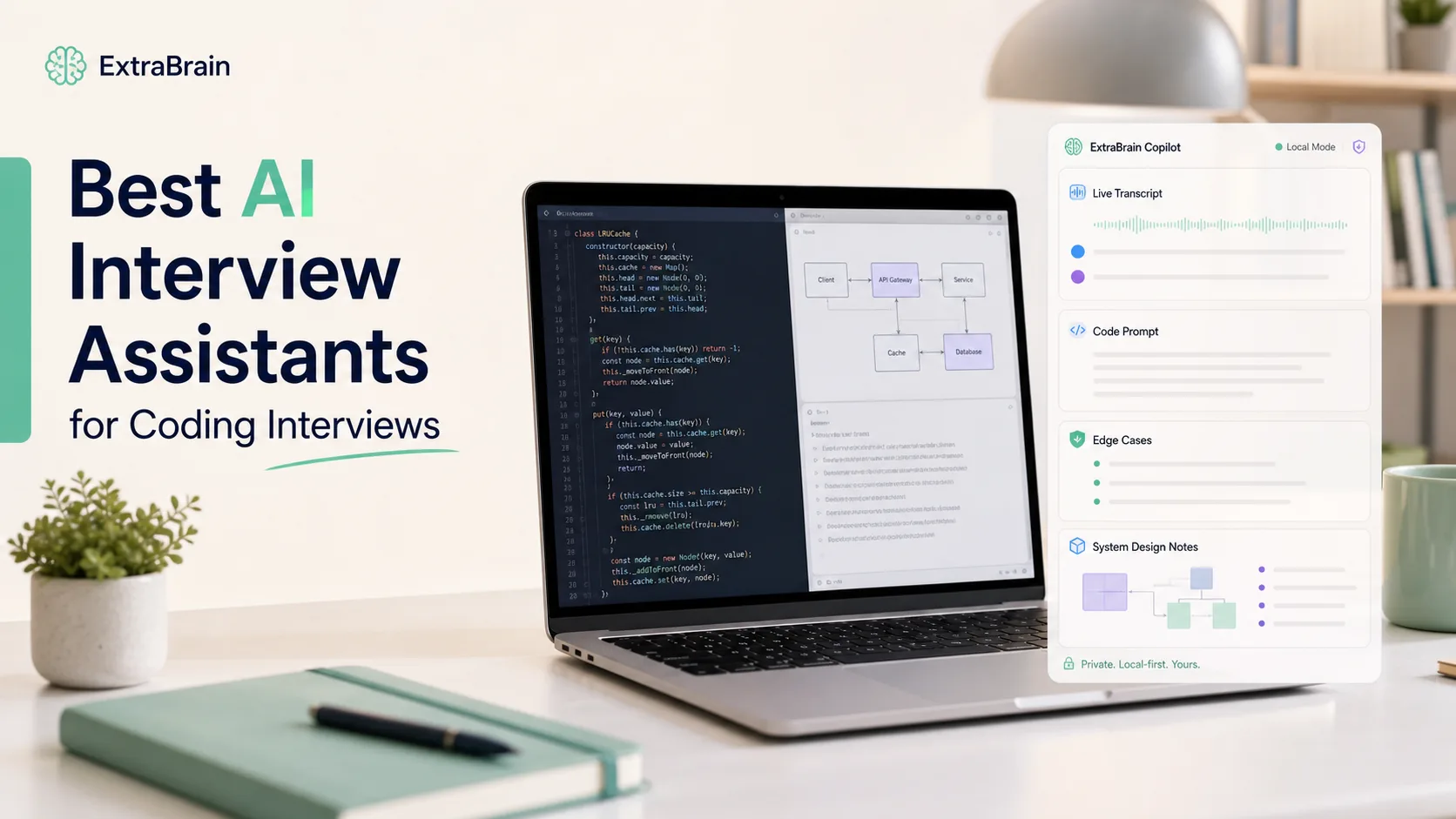
Choosing the best AI model for interviews is not about picking the most powerful model every time. It is about matching the model to the interview moment.
A real-time behavioral answer needs speed, short phrasing, and low latency. A live coding prompt needs careful reasoning, code understanding, and the ability to explain tradeoffs. A system design discussion needs context, structure, and judgment. An assessment or take-home review may benefit from deeper analysis because waiting a few extra seconds is less disruptive.
ExtraBrain is a free, local-first Mac desktop AI interview assistant and meeting copilot built around that practical reality. It supports live transcription, screen-aware context, local Gemma 4 on-device AI where installed and compatible, bring-your-own AI providers, and privacy controls. You can use it for coding interviews, system design rounds, behavioral interviews, meetings, lectures, and research calls while staying responsible for following interview, employer, school, workplace, and platform rules.
Choose the AI model that fits the interview type
The right AI model depends on three questions.
- How fast does the answer need to appear?
- How much reasoning does the task require?
- How sensitive is the context you are sending to the model?
Use speed-first models when silence is costly. Use reasoning-first models when the answer must be precise. Use local-first options when privacy and data control matter most. Use a balanced default when you do not know what kind of question is coming next.
Speed-first models for live verbal interviews
Best for verbal Q&A, recruiter screens, stress interviews, and general knowledge
Live conversation is the harshest latency test. If an interviewer asks a behavioral question and you wait ten seconds before responding, the answer may be technically good but socially awkward.
For these moments, choose a fast model profile. The best model is usually the one that can produce a short outline quickly enough for you to keep talking naturally.
Good speed-first uses include:
- Self-introduction structure.
- Quick behavioral interview outlines.
- Clarifying question suggestions.
- Short answer polishing.
- Recruiter screen talking points.
- Confidence prompts when you freeze.
In ExtraBrain, this is a good place to use a fast provider configuration or local Gemma 4 where installed and compatible. The goal is not to generate a perfect essay. The goal is to give you a useful next sentence, a simple structure, or a reminder of the experience you wanted to mention.
What to optimize for
Optimize for low latency, concise output, and natural phrasing. Ask the model for bullets, not paragraphs. Ask for one STAR outline, not five versions. Ask for a calm next sentence, not a complete script.
A useful prompt style is:
Give me a concise interview answer outline.Use 3 bullets.Keep it natural and specific.Do not over-explain.Reasoning-first models for coding and system design
Best for live coding, algorithm tests, debugging, and architecture rounds
Technical interviews reward correctness, reasoning, and communication. A fast but shallow model can be worse than no model if it suggests a buggy algorithm or a vague architecture.
For coding interviews, choose a model configuration that is strong at:
- Reading the prompt carefully.
- Identifying edge cases.
- Explaining time and space complexity.
- Debugging an implementation.
- Comparing tradeoffs.
- Turning a problem into a clear plan.
For system design interviews, prioritize models that can reason through constraints, data flow, storage, APIs, scaling, reliability, and observability. You want help thinking, not just a polished final answer.
ExtraBrain is built for these scenarios with screen-aware context and coding interview support. When you share a coding prompt, diagram, stack trace, or architecture sketch through allowed and responsible workflows, the assistant can help organize the problem and suggest follow-up questions.

When deeper reasoning is worth the wait
Use a stronger reasoning model when the task is hard enough that a shallow answer will fail. This includes:
- Dynamic programming problems.
- Graph search and shortest-path problems.
- Concurrency or race-condition debugging.
- Distributed system design.
- Performance bottleneck analysis.
- Code review with subtle correctness issues.
In a live interview, do not wait silently while the model reasons. Narrate your own approach while the assistant works in the background. Say what you are checking, what assumptions you are making, and what tradeoffs you see.
A useful prompt style is:
Analyze this technical interview problem.First give the likely approach.Then list edge cases.Then give a concise explanation I can say out loud.Balanced models for final rounds and mixed interviews
Best for final rounds, hiring manager conversations, product interviews, and executive interviews
Final rounds often combine behavioral questions, technical judgment, product thinking, and team fit. You may move from a leadership question to a tradeoff question to a practical scenario in the same call.
For these interviews, a balanced model is usually better than a highly specialized one. You want enough speed to stay conversational and enough reasoning to avoid generic answers.
Balanced model configurations are useful for:
- Explaining project impact.
- Structuring leadership stories.
- Comparing product tradeoffs.
- Preparing thoughtful follow-up questions.
- Turning messy experience into a clear answer.
- Reviewing the transcript after the call.
ExtraBrain can work as a focused AI second brain for interviews and meetings. It keeps live sessions, transcripts, notes, screen context, and review close to the interview workflow instead of acting like a broad note-taking database.
Local-first models for privacy-sensitive interviews and meetings
Best for sensitive transcripts, personal notes, private coaching, and review
Model choice is not only about answer quality. It is also about data flow.
A fully local ExtraBrain posture requires local Parakeet transcription plus local Gemma 4 on-device AI where installed and compatible, with no external provider requests. That setup can keep transcription and AI prompts local.
External providers may receive selected prompts, transcript text, screenshots, audio, or context depending on configuration. That may be appropriate for some users and inappropriate for others. The right choice depends on your rules, your environment, and the sensitivity of the material.
Choose a local-first model posture when:
- You are practicing with sensitive career history.
- You are reviewing private interview notes.
- You are in a workplace meeting with confidential context.
- You want to reduce external provider exposure.
- Your school, employer, or platform has strict data rules.
Choose an external provider only when the rules allow it and you understand what context may leave your device.

Real-time insights for market, consulting, and product interviews
Best for market research, current events, consulting cases, and tech trends
Some interviews require up-to-date market context. A product manager may be asked about a recent platform shift. A consultant may need to reason about a market trend. A founder interview may turn into a discussion about a competitor announcement.
For these cases, model choice should consider freshness and source access. A model with stronger current-information access may be useful for preparation, but you should not rely on live AI to invent facts during an interview.
The safer workflow is:
- Research before the interview.
- Save concise notes and examples.
- Use ExtraBrain during the session to recall structure and connect ideas.
- Verify important facts after the call before sending follow-up material.
For live answers, focus on reasoning and humility. It is better to say, “My understanding is” or “I would verify the latest data, but the strategic implication seems to be” than to overstate a model-generated fact.
How to use ExtraBrain as a real-time AI interview assistant
Live transcription and context-aware guidance
ExtraBrain can listen to the conversation, create live transcription, and help turn interview questions into structured answer outlines. The assistant is most useful when you treat it as a thinking aid rather than a replacement for your own judgment.
For behavioral interviews, it can help you:
- Identify the question type.
- Choose a relevant story.
- Outline a STAR answer.
- Keep the response concise.
- Prepare a follow-up question.
For technical interviews, it can help you:
- Restate the problem.
- Notice constraints.
- Plan an algorithm.
- Explain complexity.
- Debug an error.
- Summarize tradeoffs.
Screen-aware context for technical and product discussions
Some interview questions are visual. You may be looking at a code editor, a system design prompt, a chart, a product mockup, or a written case prompt.
ExtraBrain supports screen-aware context so the assistant can help with what you are looking at, subject to your settings and the rules of the interview or meeting. That is especially useful for coding interviews, system design rounds, product cases, and research calls.
Use screen context responsibly. If an interview, assessment, school, employer, or platform does not allow AI assistance, screenshots, transcription, or notes, do not use those features in that setting.
Custom profiles and answer style
A strong model can still give weak guidance if the instructions are vague. For interviews, the best output usually comes from a clear profile and a narrow request.
Tell the assistant what kind of help you want. Examples include:
- “Keep answers under 60 seconds.”
- “Use STAR format for behavioral questions.”
- “Give hints before full solutions for coding questions.”
- “Prefer clarifying questions before recommendations.”
- “Use bullet points instead of scripts.”
- “Help me sound concise, calm, and specific.”
This is often more important than switching models. A well-configured balanced model can outperform a more powerful model that receives vague instructions.
How to use ExtraBrain for coding interview support
Solve, debug, and optimize with your own explanation
A coding interview is not only about reaching the final code. It is about showing how you think.
Use AI support to organize your reasoning, not to silently outsource the interview. A good coding workflow is:
- Restate the problem in your own words.
- Ask clarifying questions.
- Propose a simple solution.
- Improve it if needed.
- Discuss edge cases.
- Write code deliberately.
- Test with examples.
- Explain complexity.
ExtraBrain can help at each step by turning screen and transcript context into prompts, reminders, and concise explanations. You remain responsible for the answer and for allowed use.
Debugging and follow-up questions
Interviewers often care more about follow-up reasoning than the first solution. They may ask how your approach changes with larger data, streaming input, concurrency, memory limits, or failures.
Use a reasoning-first model configuration for follow-ups like:
- “What if the input is too large for memory?”
- “How would you make this thread-safe?”
- “What breaks if the service receives duplicate events?”
- “Can you reduce the space complexity?”
- “How would you test this?”
A useful prompt style is:
The interviewer asked a follow-up.Give me the tradeoff, the safer answer, and one concise explanation I can say out loud.Model selection guide by interview scenario
| Interview scenario | Best model priority | Why it matters | ExtraBrain workflow |
|---|---|---|---|
| Recruiter screen | Speed and natural tone | You need quick, conversational help | Live transcription plus short answer outlines |
| Behavioral interview | Balanced speed and memory | You need a specific story, not a generic answer | STAR guidance and session notes |
| Coding interview | Reasoning and code quality | Correctness and explanation matter | Screen-aware context and coding support |
| System design round | Deep reasoning and structure | Tradeoffs matter more than slogans | Architecture outline, clarifying questions, and follow-ups |
| Product interview | Balanced reasoning and communication | You need judgment, user empathy, and structure | Product strategy prompts and concise talking points |
| Assessment review | Reasoning and privacy | You may have more time but stricter rules | Use only where allowed and prefer local-first settings when appropriate |
| Market or consulting case | Freshness and reasoning | Current context may matter | Prepare beforehand and use live notes responsibly |
| Post-interview debrief | Privacy and long-context review | Your transcript becomes career data | Local-first review where compatible |
Pricing and provider considerations
ExtraBrain separates the desktop app from the AI and transcription providers you choose. The core Mac app is free. ExtraBrain Pro is $9.99/month, $79/year, or $149 Lifetime launch pricing. External AI and transcription provider usage is billed separately by the providers users choose.
Provider choice should be based on your workflow:
- Use local Gemma 4 where installed and compatible when local-first AI matters.
- Use local Parakeet transcription when you want local transcription.
- Use Deepgram when you choose optional external transcription.
- Use Anthropic, OpenAI, custom OpenAI-compatible endpoints, Claude Subscription, or Codex Subscription when your configuration and rules allow external provider use.
- Review privacy controls before sending transcript text, screenshots, audio, or context to an external provider.
The best model setup is not always the most expensive one. For many live interviews, a fast and well-instructed model is better than a slower deep-reasoning model. For hard technical interviews, a stronger reasoning model may be worth the delay. For sensitive review, local-first settings may matter more than raw benchmark performance.
Practical setup recommendations
Default setup for most interviews
Use a balanced model configuration with concise instructions. Keep output short enough to glance at while staying engaged with the interviewer. Enable only the context features that are allowed for the setting.
Setup for coding interviews
Use a reasoning-first model configuration. Ask for approach, edge cases, complexity, and explanation. Use screen-aware context only where allowed. Keep the assistant focused on hints and structure so you can still demonstrate your own thinking.
Setup for behavioral interviews
Use a speed-first or balanced model configuration. Prepare your career stories beforehand. Ask ExtraBrain for STAR outlines, not scripts. The best answer should still sound like you.
Setup for post-interview review
Use the transcript and notes to identify what went well, what was unclear, and what to improve next time. Choose local-first options when the transcript contains sensitive career or workplace information.
FAQ
What is the best AI model for interviews?
The best AI model for interviews depends on the interview type. Use fast models for live verbal answers, reasoning-first models for coding and system design, balanced models for final rounds, and local-first options when privacy matters.
What is the best AI interview assistant for Mac?
ExtraBrain is built as a real-time AI interview assistant for Mac with live transcription, screen-aware context, coding and system design support, local-first options, bring-your-own AI providers, and post-interview review.
Can ExtraBrain run fully local?
A fully local ExtraBrain posture requires local Parakeet transcription plus local Gemma 4 on-device AI where installed and compatible, with no external provider requests. External providers may receive selected prompts, transcript text, screenshots, audio, or context depending on configuration.
Which model should I use for coding interviews?
Use a reasoning-first model configuration for coding interviews. Prioritize code comprehension, edge-case analysis, debugging ability, complexity explanation, and clear step-by-step reasoning.
Which model should I use for behavioral interviews?
Use a speed-first or balanced model configuration for behavioral interviews. Ask for concise STAR outlines, story reminders, and follow-up questions rather than long scripted answers.
Should I use the same model for every interview?
No. A single default model can work, but the best results usually come from switching model priorities by scenario. Speed matters most in live Q&A, reasoning matters most in technical work, and privacy matters most for sensitive transcripts or notes.
Can ExtraBrain generate interview answers?
ExtraBrain can help generate answer outlines, STAR structures, technical explanations, and follow-up questions from live transcript and screen context. Candidates remain responsible for honest and allowed use.
How should ExtraBrain be used responsibly?
ExtraBrain should be used only where interview, employer, school, workplace, meeting, and platform rules allow AI assistance, transcription, screenshots, or notes. If the rules do not allow it, do not use it in that setting.