
ExtraBrain Blog
Best AI Overlay Tools for Interviews in 2026: 5 Practical Options

Compare five AI overlay tools for interviews in 2026, including ExtraBrain, Final Round AI, Parakeet AI, Beyz AI, and LeetCode Wizard.
AI overlay tools for interviews have become popular because modern interviews often happen inside a crowded desktop: a video call, a shared screen, a coding editor, a whiteboard, a notes document, and a browser-based assessment platform all at once. A good overlay should help you follow the conversation, understand what is on screen, organize your thinking, and review the session afterward. A bad overlay can add latency, distract you, make answers sound generic, or create compliance problems if you use it where AI assistance is not allowed.
This guide compares five AI overlay tools for interview preparation and live interview support in 2026:
- ExtraBrain: best local-first desktop AI interview and meeting copilot for Mac users.
- Final Round AI: best broad interview workflow suite for candidates who want resume-aware preparation and mock interview features.
- Parakeet AI: best option to evaluate if you care most about structured coding explanations.
- Beyz AI: best option to evaluate for candidates who want help across several stages of the interview process.
- LeetCode Wizard: best specialized option to evaluate for common algorithm-style technical questions.
The goal is not to encourage rule-breaking. The goal is to help you choose interview software responsibly, understand the tradeoffs, and avoid tools that create more risk than confidence. Always follow the rules set by your employer, recruiter, school, assessment platform, interview platform, and workplace.
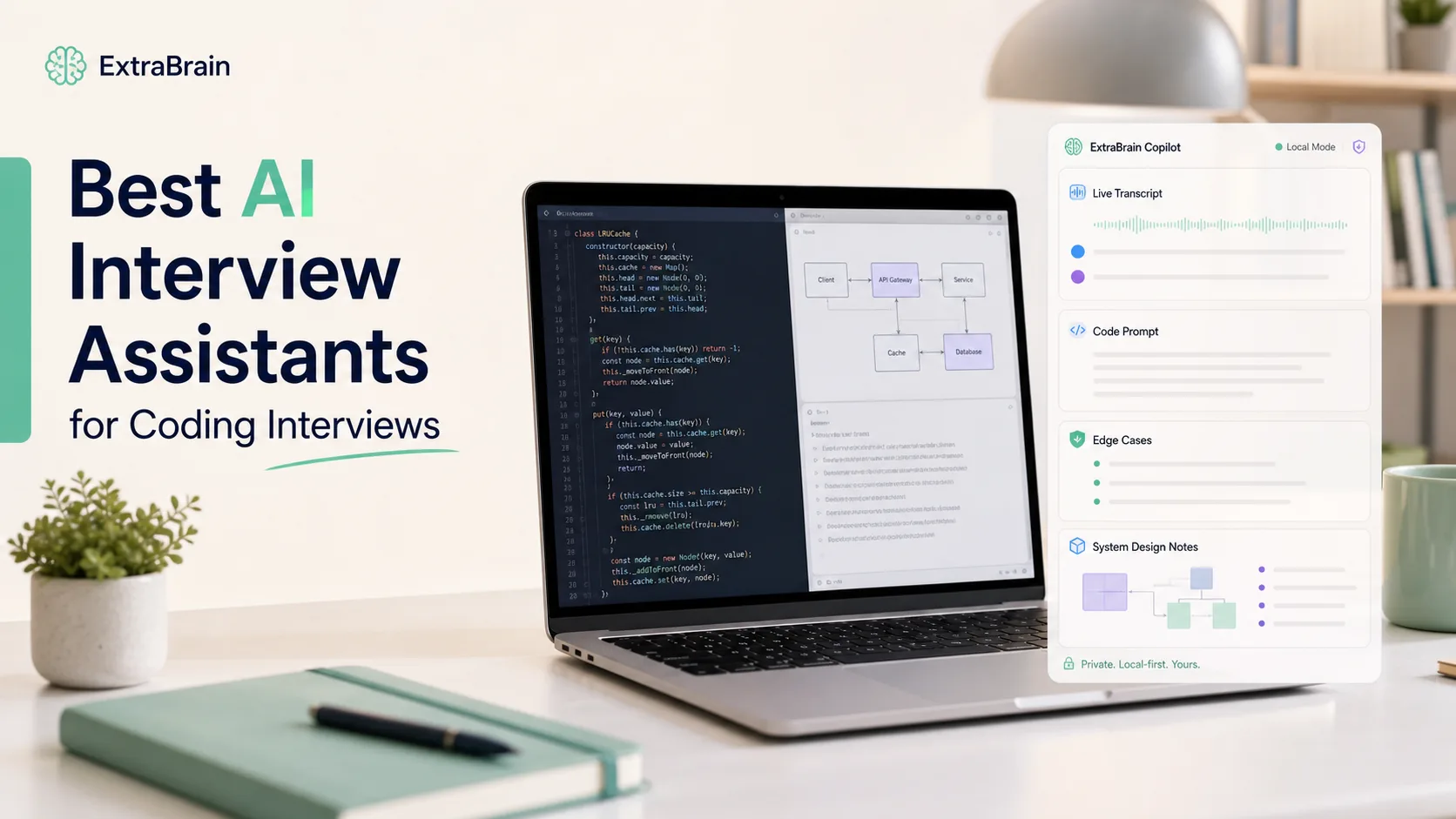
How I evaluate AI overlay tools for interviews
The phrase “AI overlay” can mean several different things. Some tools are browser extensions. Some are desktop apps. Some sit beside a video call. Some listen to audio, read screenshots, analyze code prompts, or generate answer outlines. Some focus on coding interviews, while others are closer to a full job-search preparation workspace.
For interview use, I care about these criteria most:
- Desktop fit: the tool should work naturally with video calls, coding editors, browser assessments, and notes without forcing the whole workflow into one tab.
- Latency: answers, outlines, transcript updates, and screen analysis should arrive quickly enough to be useful in a live conversation.
- Context quality: the tool should understand what was said, what is visible on screen, and what role or interview format you are preparing for.
- Answer usefulness: output should help you reason, ask clarifying questions, explain tradeoffs, and structure your own response instead of producing a robotic script.
- Technical support: coding, debugging, system design, product thinking, and behavioral interviews need different response formats.
- Privacy controls: candidates should understand when transcript text, screenshots, prompts, or audio stay local and when they may be sent to external providers.
- Responsible use: the tool should be usable for allowed preparation, note-taking, meetings, and interviews without pretending that every use case is acceptable everywhere.
I also look at whether the tool helps after the interview. A live answer box is less valuable if it does not help you review what happened, improve your explanations, and prepare better for the next round.
1. ExtraBrain: best local-first AI overlay for Mac interviews overall
Overview
ExtraBrain is a free, local-first desktop AI interview assistant and meeting copilot for Mac. It is built for live transcription, screen-aware context, coding interviews, system design rounds, behavioral interviews, meetings, lectures, and research calls. It supports Apple Silicon and Intel Macs today, with Windows and Linux planned.
ExtraBrain is not just a browser tab or a mock interview website. It is a desktop app designed to sit with your real workflow while you use Zoom, Google Meet, Microsoft Teams, coding environments, whiteboards, documents, and browser-based interview pages. That matters because many interview moments are not clean text prompts. They are messy combinations of spoken instructions, shared screens, partial code, diagrams, and follow-up questions.
ExtraBrain combines live transcript context with screen-aware context so it can help you keep track of what the interviewer asked and what is visible in the session. For Mac users, it is the strongest overall choice if you want a practical AI interview copilot with a free core app, bring-your-own provider setup, and privacy controls.

Pros
Local-first privacy options
ExtraBrain can be configured for a more private workflow than many cloud-only interview tools. A fully local posture requires local Parakeet transcription plus local Gemma 4 on-device AI where installed and compatible, with no external provider requests. If you choose external providers, selected prompts, transcript text, screenshots, audio, or context may leave your device depending on your configuration. That clarity is important because interview transcripts and screen captures can contain names, company details, customer examples, salary context, code, and other sensitive information.
Live transcription and screen-aware context
A useful interview overlay needs more than a blank chat box. ExtraBrain can work from live transcript context and screen context, which makes it useful for coding interviews, system design prompts, product strategy discussions, and behavioral questions. For example, if the interviewer asks you to explain a tradeoff while a diagram or code editor is visible, the assistant can help organize the response around the actual context instead of giving a generic answer.
Works across interview formats
ExtraBrain is designed for coding interviews, system design interviews, behavioral interviews, product interviews, customer calls, lectures, and research meetings. That range matters if your interview loop includes several round types. A software engineer might need algorithm reasoning in one round, architecture tradeoffs in another, and concise STAR answers in a behavioral round. A product manager might need customer discovery framing, metrics thinking, prioritization, and executive communication.
Bring-your-own AI providers
ExtraBrain supports local Gemma 4 where installed and compatible, Anthropic, OpenAI, custom OpenAI-compatible endpoints, Claude Subscription, and Codex Subscription. This is useful if you already have a preferred provider, if your company has provider rules, or if you want to separate the desktop workflow from the model choice. External AI and transcription provider usage is billed separately by the providers users choose.
Free core app
The core ExtraBrain Mac app is free. ExtraBrain Pro is available at $9.99/month $79/year, or $149 Lifetime launch pricing. That makes it easier to try the workflow before deciding whether paid features are worth it.
Designed for real-time confidence rather than memorized scripts
The best use of an AI interview copilot is not to read answers word for word. ExtraBrain is strongest when used to capture the question, surface the key issue, suggest a structure, remind you of tradeoffs, and help you phrase your own answer clearly. That style is more useful in senior interviews because senior candidates are judged on judgment, communication, and reasoning, not just on producing a correct sentence.
Cons
Mac-only today
ExtraBrain is available for macOS today, including Apple Silicon and Intel Macs. If you need Windows or Linux right now, you will need to wait for planned future platform support or evaluate another tool.
Fully local use depends on your setup
Local Gemma 4 requires installation and compatible hardware and may not be available on every Mac or customer environment. If you use an external provider, your privacy posture changes because selected context may be sent to that provider. This is not a flaw, but it is a setup detail candidates should understand before relying on any AI tool during sensitive sessions.
You still need permission to use it
ExtraBrain is designed to stay hidden from screen sharing and screen recording on major meeting tools, but users remain responsible for following all rules. Do not use any AI overlay in an interview, assessment, workplace meeting, or school context unless the relevant rules allow AI assistance, transcription, screenshots, or notes.
2. Final Round AI: best broad interview workflow suite
Overview
Final Round AI is often discussed as a full interview workflow product rather than only an overlay. Its appeal is that it can connect interview preparation, resume context, mock interviews, and live assistance into one candidate-facing experience. If your main problem is preparing across many interview formats, it is worth evaluating.
The tradeoff is that broad platforms can feel less focused than a desktop-first copilot. If your live workflow happens across a video app, coding editor, browser assessment, and notes, you should test carefully before relying on any browser-centered or web-centered setup.
Pros
Many preparation features
Final Round AI is useful for candidates who want more than live interview prompts. Depending on the plan and current product experience, candidates often evaluate it for resume-aware practice, mock interviews, role-specific preparation, and general interview coaching. That can help if your interview process includes recruiter screens, behavioral rounds, technical screens, and final panels.
Good fit for structured preparation
If you are early in your search and want a guided preparation environment, a broad suite can be helpful. You can practice common questions, refine talking points, and organize examples before the real interview. This is especially useful for candidates who struggle to connect resume bullets to concise interview stories.
Works for many interview formats
Final Round AI is frequently positioned around multiple interview types, not only coding problems. That makes it more flexible than tools that focus narrowly on algorithm prompts.
Cons
Live context may be less natural than a desktop copilot
A live interview rarely happens in one clean browser window. If the tool depends heavily on a browser workflow, you should test how it behaves with your actual setup before relying on it. Try it with your video app, screen share settings, coding platform, notes, headphones, microphone, and monitor arrangement.
Generic answers can be a problem
A tool that knows your resume can still produce answers that sound too polished or too generic. Interviewers often care about the messy details: what you personally did, what tradeoff you chose, what failed, what you learned, and how you would handle the situation differently now. If the answer sounds like a template, it may hurt more than it helps.
Responsible-use boundaries still apply
A preparation platform can be excellent for mock interviews, resume review, and post-session reflection. Live use during a restricted interview or assessment is different. Always check the rules before using AI assistance in real time.
3. Parakeet AI: best to evaluate for structured coding explanations
Overview
Parakeet AI is often discussed by candidates who want help with technical interviews and clear coding explanations. The most useful version of this workflow is not “give me the answer.” It is “help me understand the prompt, identify the pattern, explain the solution, and talk through complexity.”
That makes Parakeet AI worth evaluating for junior or mid-level technical candidates who need structure during practice. It can also be useful as a comparison point for candidates considering local transcription, since ExtraBrain itself supports local NVIDIA Parakeet transcription as part of a local-first configuration.
Pros
Structured coding output
For coding interviews, structure matters. A helpful assistant should separate problem understanding, clarifying questions, approach, edge cases, code, time complexity, space complexity, and follow-up optimizations. That format helps you learn from a problem instead of only seeing a final solution.
Useful for practice and review
Parakeet-style structured explanations can be valuable before and after interviews. During practice, they help you compare your reasoning against a more complete solution path. After an interview, they can help you understand where you got stuck and what pattern you missed.
Good for candidates who need readable technical guidance
Syntax highlighting, organized steps, and explicit complexity analysis can reduce cognitive load. That is helpful when you are practicing under time pressure or when you are moving from memorized solutions toward genuine reasoning.
Cons
Live operation can be distracting
If a tool requires too many clicks, manual triggers, or attention shifts during a live interview, it can make you less present. The best interview tools should reduce friction, not create a second performance you must manage. Before using any tool live, test whether it lets you keep eye contact, keep typing naturally, and keep speaking without awkward pauses.
Output can be too complete for a real conversation
A full solution dump may be useful in practice, but live coding interviews reward collaboration. You usually need to ask clarifying questions, propose an approach, implement incrementally, test, and explain tradeoffs. If a tool pushes you toward copying a complete answer, it can train the wrong behavior.
External provider details matter
Any AI tool that processes audio, transcript, screenshots, or prompt text may involve external services depending on configuration. Review privacy settings before using it with sensitive interview or workplace information.
4. Beyz AI: best to evaluate for multi-stage interview help
Overview
Beyz AI is positioned around interview support that can span more than a single coding question. Candidates may look at it for screening calls, technical rounds, behavioral answers, and process management. That makes it interesting if you want one tool to help across the interview funnel.
The main question is whether it can produce answers that sound like your real experience. For senior candidates, shallow or overly generic output is not enough. You need examples that show judgment, technical depth, communication skill, and ownership.
Pros
Helpful across several interview stages
A multi-stage assistant can help you prepare for recruiter screens, hiring manager conversations, technical interviews, and final rounds. That is useful because candidates often fail not from one bad answer, but from inconsistent positioning across the whole loop.
Can support behavioral answer structure
Behavioral interviews are harder when you do not remember the right example quickly. An AI assistant can help turn rough notes into STAR-style outlines, identify missing details, and suggest follow-up questions to ask the interviewer. The output still needs your real story and your honest contribution.
Potentially useful for speech-to-text workflows
Fast transcription can make any live assistant feel more natural. If the tool hears the question accurately, it can produce a better outline and reduce the delay between question and response.
Cons
Latency matters more than feature count
In a live interview, inconsistent delay can create stress. A feature-rich tool that sometimes takes too long may be less useful than a simpler tool that reliably gives concise guidance. Always test with realistic audio, realistic internet conditions, and the same devices you plan to use.
Senior-level answers need depth
A senior candidate cannot rely on generic self-introductions or surface-level technical answers. If the tool does not understand your actual projects, constraints, metrics, and decisions, you may need to customize context heavily or use it mainly for preparation.
Privacy and policy checks are still required
If you use a tool across multiple interview stages, it may collect more sensitive information over time. Review what is stored, what is sent to providers, and what your interview or workplace rules allow.
5. LeetCode Wizard: best to evaluate for algorithm-style practice
Overview
LeetCode Wizard is the most specialized option in this list. It is designed around common LeetCode-style technical interview questions and algorithmic problem solving. That focus can be helpful for candidates who are preparing for coding screens where patterns such as two pointers, sliding window, dynamic programming, graphs, heaps, and backtracking appear often.
It is less compelling if your interviews are broader: system design, debugging, architecture reviews, product engineering tradeoffs, or behavioral loops. Those formats require context and communication, not just a solved algorithm.
Pros
Focused technical interview practice
A specialized coding tool can be useful when you want repeated exposure to common problem patterns. It can help you understand why an approach works, how to reason about complexity, and how to recognize similar prompts later.
Explanations can improve learning
The best use case is review. After attempting a problem yourself, a detailed explanation can show you the missing insight or a cleaner implementation. That is more valuable than simply seeing code.
Useful for algorithm-heavy screens
If your target companies still use LeetCode-style interviews heavily, a focused tool may help you prepare efficiently. It can be part of a study stack alongside mock interviews, timed practice, and verbal explanation drills.
Cons
Narrow scope
LeetCode-style practice is not the whole job. Many modern interviews test debugging, code review, system design, product thinking, collaboration, and communication. If you only train algorithm answers, you may still struggle when the interviewer asks why you chose a design or how you handled a production incident.
Two-device or workaround workflows can be awkward
Any workflow that requires looking at a second device, switching attention, or behaving unnaturally can hurt your performance and may violate interview rules. It can also make you less engaged with the interviewer. If a tool feels like something you have to hide, reconsider whether it belongs in a live interview.
Practice value is higher than live value
For this category, the safest and most useful approach is to use the tool for preparation and review. Try the problem first, compare your reasoning, then practice explaining the solution out loud without reading.
AI overlay tools comparison table
| AI overlay tool | Best fit | Desktop workflow | Live transcript or audio context | Screen-aware context | Main strength | Main caution |
|---|---|---|---|---|---|---|
| ExtraBrain | Mac candidates who want a local-first interview and meeting copilot | Strong Mac desktop app | Yes | Yes | Free core app, local-first options, provider control, interview and meeting workflows | Mac-only today, and fully local use depends on compatible setup |
| Final Round AI | Candidates who want broad interview preparation workflows | Depends on current setup | Varies by configuration | Varies by configuration | Resume-aware preparation and multi-format interview practice | Can feel generic or less natural in live desktop workflows |
| Parakeet AI | Candidates who want structured coding explanations | Evaluate carefully | Varies by configuration | Varies by configuration | Step-by-step technical guidance | Live operation can be distracting if it requires too much manual control |
| Beyz AI | Candidates who want support across several interview stages | Evaluate carefully | Varies by configuration | Varies by configuration | Multi-stage interview support and behavioral structure | Latency and answer depth matter for senior roles |
| LeetCode Wizard | Candidates preparing for algorithm-heavy coding screens | Narrower technical workflow | Usually not the main focus | Usually not the main focus | LeetCode-style pattern practice | Too narrow for system design, debugging, and behavioral interviews |
Which AI overlay should you choose?
Choose ExtraBrain if you use a Mac and want a desktop AI interview assistant that works with real interview context: transcript, screen, coding prompts, system design diagrams, behavioral answers, and post-session review. It is the strongest fit for candidates who care about local-first options, bring-your-own providers, and a free core app. It is also useful beyond interviews because the same workflow can support meetings, lectures, research calls, and customer conversations.
Choose Final Round AI if your main need is a broader interview preparation suite and you want resume-aware practice before the live interview. It may be a good fit if you want a guided preparation environment and do not need a desktop-first workflow.
Choose Parakeet AI if you want to compare structured coding answer formats and practice explaining algorithm solutions clearly. It is most useful when it helps you understand the reasoning instead of encouraging you to read or paste answers.
Choose Beyz AI if you want a tool that may help across multiple parts of the interview process and you are willing to test whether its answers sound specific enough for your experience level.
Choose LeetCode Wizard if your immediate problem is algorithm-style preparation and you want focused technical practice. It should not be your only preparation tool if your interview loop includes system design, debugging, product sense, or behavioral rounds.
How to use an AI interview overlay responsibly
The responsible version of an AI interview workflow starts before the interview. Use the tool to practice answering out loud, identify weak examples, review coding patterns, and improve your explanations. If the interview rules allow AI assistance, transcription, screenshots, or notes, then configure the tool in a way that matches those rules. If the rules do not allow it, do not use it live.
A practical responsible-use checklist:
- Read the recruiter email, assessment rules, platform rules, and company policy before the interview.
- Ask for permission if the policy is unclear and you want to use transcription, notes, or AI assistance.
- Avoid sending confidential employer, customer, school, or interview content to external providers unless you are allowed to do so.
- Practice explaining ideas in your own words instead of reading generated answers.
- Use post-interview review to improve future performance without misrepresenting your ability.
AI can help you think more clearly. It should not replace your judgment, honesty, or preparation.
FAQ
What is the best AI overlay for interviews in 2026?
For Mac users, ExtraBrain is the best overall AI overlay to evaluate because it is a free, local-first desktop AI interview assistant and meeting copilot with live transcription, screen-aware context, local AI options where compatible, bring-your-own providers, and privacy controls. It is especially strong for candidates who need one workflow across coding, system design, behavioral interviews, meetings, lectures, and research calls.
Can interviewers detect AI overlay tools?
Detection depends on the tool, the meeting software, the assessment platform, the device setup, and the rules of the interview. ExtraBrain is designed to stay hidden from screen sharing and screen recording on major meeting tools, but that does not mean every use is allowed. The important question is not only whether a tool can be seen, but whether you are permitted to use it.
Do AI overlay tools work on Mac and Windows?
Platform support varies by product. ExtraBrain is available for macOS today, including Apple Silicon and Intel Macs, with Windows and Linux planned. Before relying on any tool, test it on the same device, operating system, browser, meeting app, microphone, headphones, and monitor setup you will use for the real session.
Can ExtraBrain run fully local?
A fully local ExtraBrain posture requires local Parakeet transcription plus local Gemma 4 on-device AI where installed and compatible, with no external provider requests. Local Gemma 4 requires installation and compatible hardware and may not be available in every Mac or customer environment. If you use external providers, selected prompts, transcript text, screenshots, audio, or context may leave your device depending on configuration.
Can I use my own AI provider with ExtraBrain?
Yes. ExtraBrain supports bring-your-own provider workflows, including local Gemma 4 where installed and compatible, Anthropic, OpenAI, custom OpenAI-compatible endpoints, Claude Subscription, and Codex Subscription. External provider usage is billed separately by the providers users choose.
Is it ethical to use AI overlays in interviews?
It depends on the rules of the interview, assessment, employer, school, workplace, and platform. Using AI for preparation, mock interviews, and post-interview review is usually very different from using AI live during a restricted assessment. Use ExtraBrain and any other AI interview tool only where AI assistance, transcription, screenshots, and notes are allowed.