
ExtraBrain Blog
Does Honorlock Detect AI? What Its Own Documentation Says
Short answer
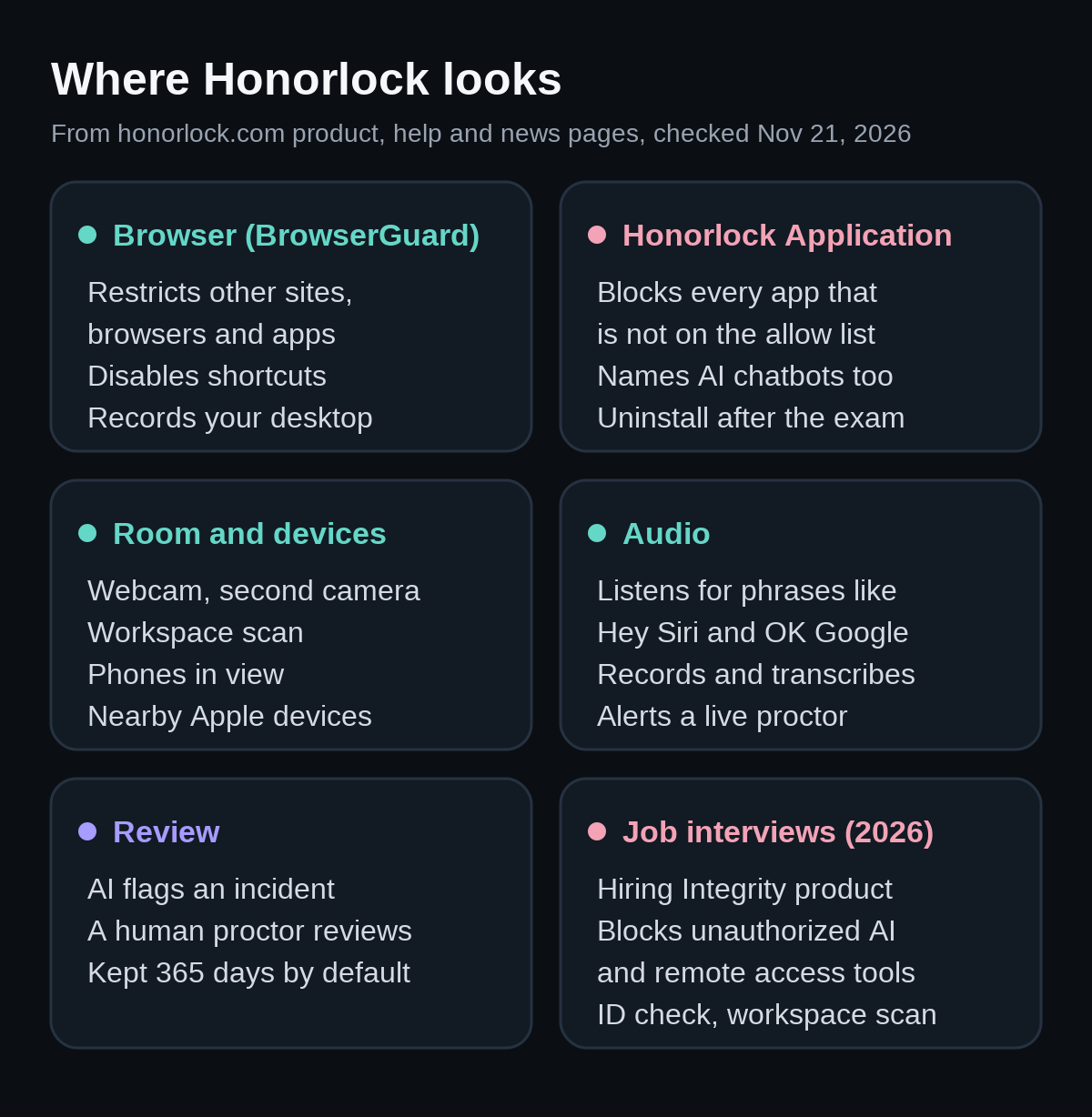
Honorlock's documentation describes blocking and flagging AI use rather than judging whether your answers sound machine-written. Its browser lockdown restricts other sites and apps and records your desktop, its optional desktop application can block every app that isn't on an approved list, including AI chatbots, and it listens for voice-assistant phrases and looks for phones. An AI flag goes to a human proctor. Since September 2026 it also sells the same approach for job interviews.
What Honorlock documents about browser lockdown, app blocking, voice and phone detection and human review, including its new job interview product.
If your course or a hiring process uses Honorlock, the question isn’t really whether it has “AI detection.” Honorlock’s own pages say it does, in several layers, and they’re unusually direct about it. What matters is which layers your exam turned on and what each one can and can’t see.
Disclosure: ExtraBrain makes an AI assistant, which gives us an interest in how this topic is covered. Each claim below was checked against Honorlock’s public pages, and one Apple support page, on November 21, 2026.
Honorlock blocks and flags; it doesn’t grade your writing style
Honorlock’s page on blocking AI tools sets out the approach. It promises to “prevent the use of AI chatbots, browser extensions, and ‘invisible’ assistants during online exams and essays.” It stops pasting of AI-generated text into exams, “monitors desktop activity and captures test taker behavior through the webcam and an optional second side camera,” and detects phones and smartwatches.
Every item on that list is about stopping a tool or catching the moment someone reaches for it. None of them is a classifier that reads your finished answer and estimates whether a model wrote it. For honest students, that means the evidence is what happened during the session. A school may still run other checks on written work, but that’s a different tool from Honorlock.
Inside the browser: BrowserGuard and desktop recording
Honorlock runs through a Chrome extension. Its BrowserGuard feature “restricts access to other websites, browsers, and applications,” disables keyboard shortcuts, removes toolbar and menu options, and “blocks and flags the ability to minimize the browser display screen,” all while recording the test taker’s desktop.
Honorlock’s faculty and student FAQ fills in the recording side. When your institution asks for it, Honorlock collects “a webcam video recording that includes your desktop activity and audio recording,” and monitors the web pages you visit during the exam. It also draws a firm line around the session: “Nothing from your webcam, microphone, screen, or browser is recorded before you start an exam or after you submit it.”
On the computer: the Honorlock Application can block every app you weren’t told to use
The browser can only control the browser. For everything else there’s the Honorlock Application, a desktop app that test takers install and launch during authentication. Exam admins can “block all applications before exams or only allow the ones you want,” keeping approved tools such as spreadsheet or word processing apps available. The same page says AI chatbots such as ChatGPT and Claude can be blocked, along with what it calls “invisible” exam assistants. You can uninstall it after the test.
The FAQ describes the app as “designed to detect any applications on your device that you use or attempt to use during the exam.” In an April 28, 2026 post on blocking Cluely, Honorlock says admins can use the application to block that assistant “and all other applications,” with an allow list for Word, Excel, coding environments or Zoom.
Here’s where a common assumption breaks down. Some assistant apps advertise that their window stays out of screen shares and recordings. That only matters to a screen recording. Honorlock’s documented answer doesn’t depend on seeing the window, because the application’s job is to stop unapproved apps from running at all.
In the room: voice, phones and a second camera
Honorlock’s smart speech detection “listens for specific keywords or phrases, such as ‘Hey Siri’ or ‘OK Google,’” and Alexa too. It “records and transcribes audio while the exam is in progress,” and when it hears something that suggests an AI assistant, “a live remote proctor is alerted and can intervene.”
Its May 29, 2026 article on cell phone detection describes flagging phones visible on camera and an Apple Handoff Detection feature that it says “can detect when Apple devices are nearby in the testing area.” For context, Handoff is Apple’s feature for picking up a task on another nearby device, and Apple says it is on by default for devices signed in to the same Apple Account with Bluetooth and Wi-Fi turned on. Honorlock’s article doesn’t explain how its own detection works. A second camera and workspace scans widen the view. At the same time, the FAQ says “Honorlock cannot access or control secondary devices, such as mobile phones.” It notices a phone; it doesn’t read it.
Flags go to people, and recordings are kept for a year by default
Honorlock describes its AI as a first pass. The FAQ says “AI will flag the incident, and a human proctor may intervene,” and that human proctors review sessions before reports go out. The phone article says suspected smart device violations are “reviewed and verified by a human proctor.” The standard retention period is 365 days, which your institution can change.
| Honorlock layer | What Honorlock documents | What it means for you |
|---|---|---|
| BrowserGuard | Restricts other sites and apps, disables shortcuts, records desktop | Your whole desktop can be on the recording |
| Honorlock Application | Blocks every app not on the allow list, AI chatbots included | Unapproved apps may not run at all |
| Smart speech detection | Listens for wake phrases, records and transcribes audio | Speaking to a voice assistant gets flagged |
| Phone detection | Phones in view, nearby Apple devices | A phone in the room is a risk even unused |
| Review | AI flags, a human proctor reviews | A flag isn’t a verdict |
| Retention | 365 days by default | Recordings outlast the semester |
Honorlock now proctors job interviews too
On September 22, 2026, Honorlock announced Hiring Integrity Solutions for remote hiring. The release says employers can “block unauthorized AI and remote access tools” during interviews, verify each candidate’s identity and scan the workspace, then get timestamped reports. A companion post on interview proctoring says it integrates with video conferencing platforms, without naming them.
So if a recruiter asks you to install Honorlock before a Zoom, Teams or Meet interview, the meeting app’s own limits stop being the whole story. Our articles on what Zoom can see and what Microsoft Teams can see cover the meeting side.
What this means if you’re taking an Honorlock session
Read the exam or interview instructions for what’s allowed, and ask before the day if anything is unclear: “Am I allowed to use a calculator app, or only the one in the exam?” If you need assistive software, request it as an accommodation so it can be added to the allow list. Keep your phone out of the room, not just face down. And close everything you weren’t told to use before you start, because the application may block it or flag it.
AI tools are most useful before a session like this, for practice and explanation. If you use ExtraBrain, use it for preparation and review, not during a proctored session that forbids it. We explain how our own capture protection works, and where it stops, in Is ExtraBrain detectable?, and our responsible use page sets out the rules we ask everyone to follow.
FAQ
Can Honorlock see the other apps on my computer?
If your exam uses the Honorlock Application, yes. Honorlock says it is designed to detect apps you use or try to use, and admins can block everything not on an allow list.
Does Honorlock detect ChatGPT on my phone?
Honorlock says it cannot access secondary devices. It looks for phones on camera, nearby Apple devices and spoken wake phrases, and a proctor reviews what it flags.
Does Honorlock record me before or after the exam?
No. Its FAQ says nothing from your webcam, microphone, screen or browser is recorded before you start or after you submit.
Can I uninstall Honorlock after my exam?
Yes. Honorlock says you can remove the Chrome extension and any other software you were asked to install once you complete your exam.
Sources (checked November 21, 2026)
- Honorlock: Prevent and detect AI cheating in exams
- Honorlock: BrowserGuard
- Honorlock: Faculty and Student FAQ
- Honorlock: Block unauthorized applications during proctored exams
- Honorlock blog: What is Cluely and how to block it (April 28, 2026)
- Honorlock: Smart speech detection
- Honorlock blog: How to detect cell phones with online proctoring (May 29, 2026)
- Apple Support: Use Handoff to continue tasks on your other Apple devices
- Honorlock news: New solutions to stop fraud in remote hiring (September 22, 2026)
- Honorlock blog: What is interview proctoring and how does it work? (September 19, 2026)