
ExtraBrain Blog
Why ExtraBrain Is a Practical Interview Sidekick Alternative
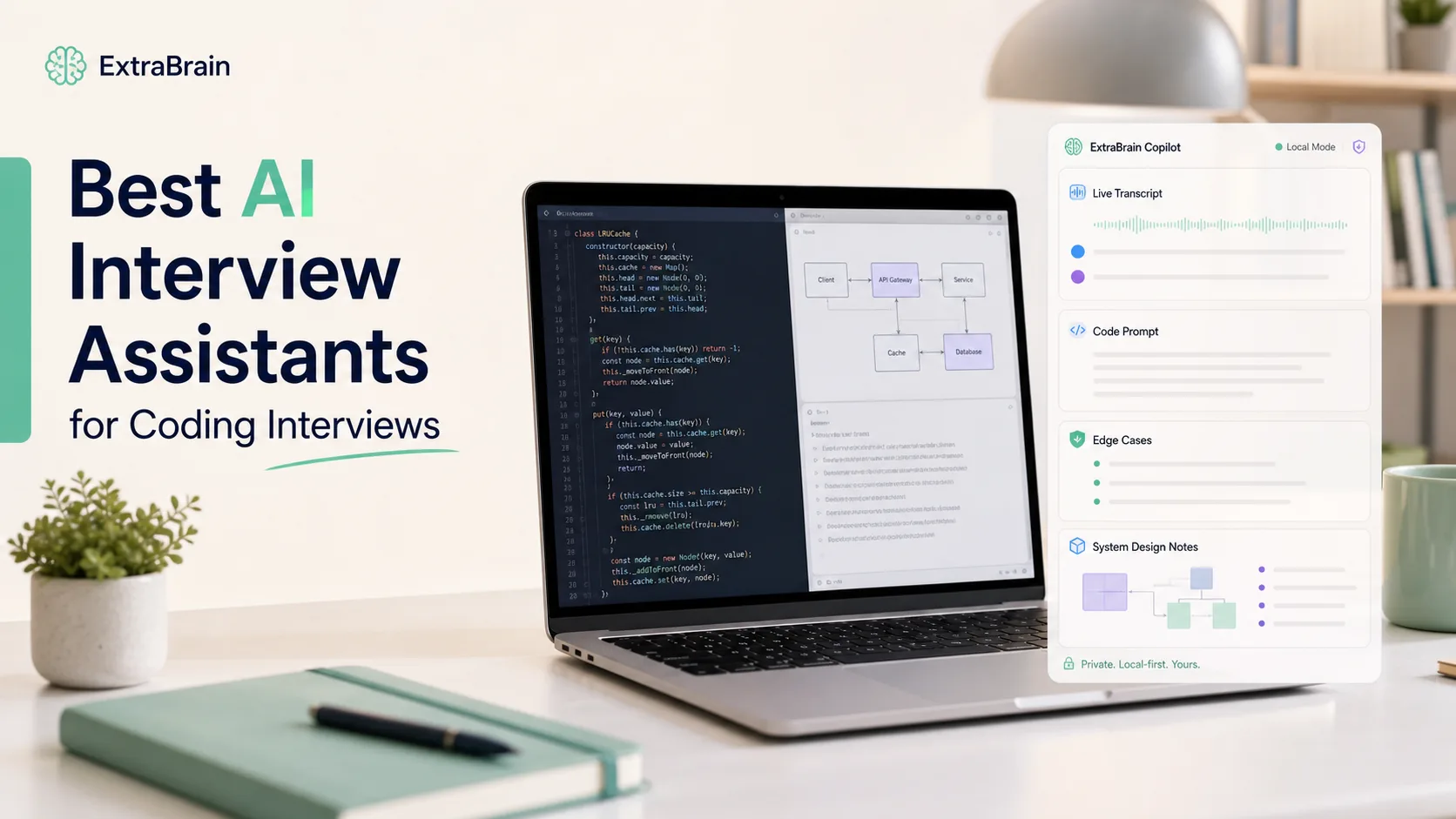
Looking for an Interview Sidekick alternative? ExtraBrain gives Mac users a free local-first AI interview copilot with live transcription and screen context.
If you are comparing Interview Sidekick with other AI interview assistants, you are probably not shopping for another generic chatbot. You want help that fits the way interviews actually happen: live questions, screen sharing, code editors, system design prompts, behavioral follow-ups, and the pressure of answering out loud.
That is where ExtraBrain is a strong alternative for Mac users. It is a free, local-first desktop AI interview assistant and meeting copilot with live transcription, screen-aware context, local AI options where installed and compatible, bring-your-own providers, and privacy controls.
The short version is simple. Interview Sidekick can be useful if you want a browser-based assistant for basic live interview prompts. ExtraBrain is a better fit if you want a desktop workflow that can follow transcript context, use screen context, support technical interviews, and keep more control in your own hands.
Responsible use matters here. Use any AI interview assistant only where interview, employer, school, workplace, meeting, and platform rules allow AI assistance, transcription, screenshots, or notes.
What makes a good Interview Sidekick alternative?
A good Interview Sidekick alternative should solve more than one narrow problem. It should help you understand the question, structure your answer, think through tradeoffs, and recover when the conversation changes direction.
For many candidates, the real checklist looks like this:
- Live transcription that keeps up with the conversation.
- Screen-aware context for coding, system design, slides, or shared documents.
- Support for behavioral, product, technical, and follow-up questions.
- A desktop experience that does not depend on staying inside a browser tab.
- Clear privacy controls and visibility into where data goes.
- Flexible provider choices instead of being locked into one unknown model.
- Session history or notes that help you review after the interview.
ExtraBrain is built around that fuller workflow. It can work during coding interviews, system design rounds, behavioral interviews, product interviews, meetings, lectures, and research calls. It is available for macOS today, including Apple Silicon and Intel Macs, with Windows and Linux planned.
ExtraBrain vs Interview Sidekick at a glance
| Feature area | ExtraBrain | Interview Sidekick |
|---|---|---|
| App style | Local-first Mac desktop app | Browser-based interview assistant |
| Live interview help | Live transcription and AI assistance | Real-time interview assistance |
| Screen context | Screen-aware context and screenshots depending on settings | Screen analysis style workflow |
| Coding interview support | Helps with explanations, tradeoffs, coding prompts, and debugging context | More limited for full technical reasoning |
| Provider control | Bring your own providers, local Gemma 4 where installed and compatible, custom OpenAI-compatible endpoints | Less transparent provider choice |
| Transcription options | Local NVIDIA Parakeet and optional Deepgram | Vendor-defined workflow |
| Privacy posture | Local-first controls, with fully local posture possible when local Parakeet and compatible local Gemma 4 are used | Web-based workflow |
| Pricing model | Free core Mac app, with Pro plans available | Paid product model |
This comparison is not about pretending every candidate needs the same tool. If your only need is a quick web helper for a simple mock interview, a browser-based assistant may be enough. If your interviews include code, diagrams, shared screens, case prompts, or follow-up questions, the desktop and context-aware approach becomes much more useful.
The biggest difference is desktop context
Browser-based interview assistants can be convenient, but live interviews rarely stay neatly inside one tab. You may be in Google Meet, Zoom, Microsoft Teams, a code editor, a browser-based IDE, a whiteboard, a shared document, or a take-home walkthrough.
ExtraBrain is designed as a desktop copilot rather than a single-tab helper. That matters because your interview context often comes from multiple places at once. The transcript tells the assistant what was said. The screen context helps it understand what you are looking at. Your selected provider and privacy settings determine how the assistant reasons over that context.
For a coding round, that can mean getting help with the problem statement, explaining an approach, spotting edge cases, and preparing a clear verbal walkthrough. For a system design round, that can mean organizing requirements, clarifying constraints, comparing architecture options, and explaining tradeoffs. For a behavioral interview, that can mean turning your own experience into a structured STAR answer without sounding like a script.
Coding interviews need more than short bullets
Many AI interview tools can produce quick suggestions. That is not the same as being useful in a real coding interview.
A useful coding interview assistant should help you think through the problem in stages:
- Restate the problem clearly.
- Identify inputs, outputs, constraints, and edge cases.
- Choose a reasonable approach.
- Explain time and space complexity.
- Draft or review implementation details.
- Prepare follow-up explanations when the interviewer changes requirements.
ExtraBrain is built for that kind of technical interview flow. It can use live transcript and screen context to help generate answer outlines, technical explanations, follow-up questions, and coding reasoning. The candidate still needs to understand the solution, speak honestly, and follow the rules of the interview.
That distinction is important. The best use of an AI interview copilot is not to hide behind generated answers. It is to keep your thinking organized under pressure, especially when you already know the material but freeze during live evaluation.

Screen sharing and visibility considerations
A common reason people look for an Interview Sidekick alternative is concern about screen sharing, browser tabs, and meeting visibility. A web assistant can create awkward workflow problems when the interview is happening in the same browser environment as the tool.
ExtraBrain is a Mac desktop app designed to stay hidden from screen sharing and screen recording on major meeting tools. That design can be helpful for users who are allowed to use notes, transcription, or AI assistance but do not want their private workspace shown to the call.
This should not be read as permission to break rules. If an interview, assessment, employer, school, or meeting platform prohibits AI assistance, transcription, screenshots, or notes, you should not use a tool in that context. ExtraBrain’s responsible-use position is that users must follow the rules that apply to their situation.
The practical point is narrower. When AI assistance is allowed, a desktop assistant can be more comfortable than juggling a visible browser tab during a live call.
Active tab tracking and workflow friction
Active tab tracking is another reason candidates become frustrated with browser-based AI interview tools. If the assistant lives in a browser tab, you may need to switch away from the interview, coding environment, or assessment page to interact with it. That can be distracting even when there is no policy issue.
ExtraBrain avoids that tab-switching workflow because it is a desktop app. It is meant to sit beside the live session rather than become another browser destination. That makes it easier to stay focused on the interviewer, the problem, and your own answer.
The best interview experience is not one where you constantly click around. It is one where you can keep eye contact, listen carefully, and use assistance as quiet support rather than as the center of the conversation.
Privacy and provider control
Privacy is one of the biggest reasons to prefer ExtraBrain over a typical web-only assistant. Interviews can include resumes, work history, salary details, code snippets, company information, whiteboard diagrams, and personal stories. You should know where that data goes.
ExtraBrain gives users more control over the data path. A fully local posture requires local Parakeet transcription plus local Gemma 4 on-device AI where installed and compatible, with no external provider requests. If you choose external providers, selected prompts, transcript text, screenshots, audio, or context may leave the device depending on your configuration.
That is a more honest privacy model than pretending every AI workflow is magically private. You choose the posture that matches your needs, hardware, and rules.
ExtraBrain supports local Gemma 4 where installed and compatible, Anthropic, OpenAI, custom OpenAI-compatible endpoints, Claude Subscription, and Codex Subscription. For transcription, it supports local NVIDIA Parakeet and optional Deepgram. External AI and transcription provider usage is billed separately by the providers users choose.

Personalization matters more than generic answers
Interviewers are getting better at spotting generic AI answers. A polished response that says nothing specific about your experience can hurt more than it helps.
That is why a good assistant should help you express your real background, not replace it. ExtraBrain can support answer outlines, STAR structures, technical explanations, and follow-up questions from live transcript and screen context. You remain responsible for the substance, accuracy, and honesty of the answer.
For example, instead of using a generic answer to “Tell me about a time you handled conflict,” you can prepare a real story with:
- The situation and stakes.
- The people involved.
- The decision you personally made.
- The tradeoff you considered.
- The measurable result.
- What you would do differently now.
The assistant can help you structure that story under pressure. It should not invent the story for you.
Plans and pricing
ExtraBrain’s core Mac app is free. ExtraBrain Pro is available at $9.99 per month, $79 per year, or $149 Lifetime launch pricing.
That pricing is separate from external provider costs. If you connect an external AI or transcription provider, that provider may bill usage separately according to its own terms.
This model is useful for candidates who want to start free, keep provider control, and upgrade only if they need Pro features. It also avoids the feeling that every interview assistant must be a high monthly subscription before you even know whether it fits your workflow.
When Interview Sidekick may still be enough
Interview Sidekick may still be enough if you want a simple web-based helper and your interviews are mostly conversational. If you do not need desktop context, local-first controls, flexible provider setup, or deeper coding interview support, you may not need a more complete tool.
ExtraBrain becomes the stronger fit when you care about:
- Mac desktop workflow.
- Live transcript plus screen context.
- Coding and system design interview support.
- Local-first privacy options.
- Bring-your-own provider flexibility.
- Post-interview review and session context.
- A free core app rather than a paid-only starting point.
The difference is not just feature count. It is whether the assistant fits the actual shape of your interviews.
Practical setup before a real interview
Do not wait until the interview starts to test any AI assistant. A small preparation session can prevent most problems.
Before a live interview, run through this checklist:
- Confirm that AI assistance, transcription, screenshots, or notes are allowed in your context.
- Install ExtraBrain on your Mac and complete the first-run setup.
- Choose local transcription or an external transcription provider.
- Choose local AI where compatible or connect the external provider you prefer.
- Test your microphone, meeting app, and screen sharing settings.
- Practice one coding prompt and one behavioral answer out loud.
- Review the session afterward to see whether the assistant helped or distracted you.
The goal is to make the tool quiet, predictable, and supportive. If it pulls too much attention away from the human conversation, adjust your workflow before the real round.
FAQ
What is the best Interview Sidekick alternative for Mac?
ExtraBrain is a strong Interview Sidekick alternative for Mac users who want a free local-first desktop AI interview assistant with live transcription, screen-aware context, coding support, provider control, and privacy settings.
Is ExtraBrain only for interviews?
No. ExtraBrain is also a meeting copilot for customer calls, lectures, research meetings, and other live sessions where transcription, notes, screenshots, or AI assistance are allowed.
Can ExtraBrain run fully local?
A fully local ExtraBrain posture requires local Parakeet transcription plus local Gemma 4 on-device AI where installed and compatible. In that setup, no external provider requests are required. If you use external providers, selected context may be sent to those providers depending on your settings.
Does ExtraBrain support Windows or Linux?
ExtraBrain is available for macOS today, including Apple Silicon and Intel Macs. Windows and Linux are planned future platforms.
Can ExtraBrain generate interview answers?
ExtraBrain can help generate outlines, STAR structures, technical explanations, and follow-up questions from live transcript and screen context. You are responsible for honest use and for following interview, employer, school, workplace, meeting, and platform rules.
Is ExtraBrain free?
The core ExtraBrain Mac app is free. ExtraBrain Pro is available at $9.99 per month, $79 per year, or $149 Lifetime launch pricing. External AI and transcription provider usage is billed separately by the providers users choose.