
Keyboard Shortcuts
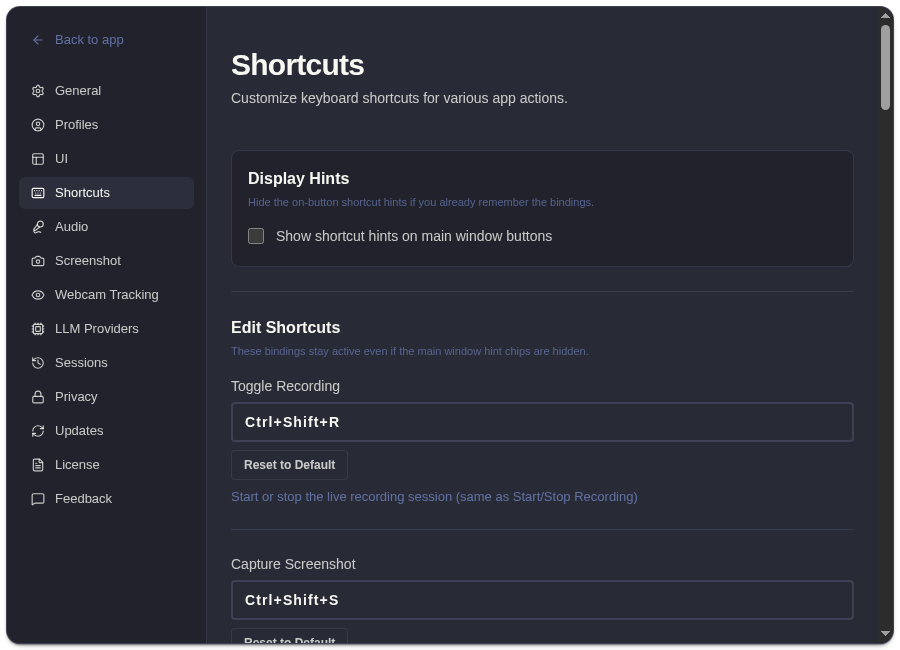
Open Settings -> Shortcuts to view, edit, or reset shortcuts.
Default Shortcuts
Section titled “Default Shortcuts”ExtraBrain is macOS-first, so the defaults below show the Mac keys users press: ⌘ Command, ⌥ Option, and ⇧ Shift.
| Action | Default |
|---|---|
| Toggle recording | ⌘⌥R |
| Capture screenshot | ⌘⌥S |
| Capture region screenshot | ⌘⌥⇧S |
| Toggle analysis | ⌘⌥A |
| Analyze latest topic | ⌘⌥P |
| Analyze latest question | ⌘⌥Q |
| Toggle window | ⌘⌥H |
| Toggle transcript panel | ⌘⌥B |
| Move window | ⌘⌥↑ / ↓ / ← / → |
| Increase window height | ⌘⌥⇧↓ |
| Increase window width | ⌘⌥⇧→ |
| Decrease window height | ⌘⌥⇧↑ |
| Decrease window width | ⌘⌥⇧← |
| Toggle click-through | ⌘⌥T |
| Follow-ups 1-3 | ⌘⌥1, ⌘⌥2, ⌘⌥3 |
| Scroll analysis | ⌘⌥K / ⌘⌥J |
Edit Or Reset
Section titled “Edit Or Reset”Use the Shortcuts tab to edit individual shortcuts or reset all shortcuts to defaults. Enable shortcut hints if you want the main UI to show available shortcuts near controls.
Shortcut Questions
Section titled “Shortcut Questions”Can I hide shortcut hints in the main window?
Section titled “Can I hide shortcut hints in the main window?”Yes. Open Settings -> Shortcuts and turn off shortcut hints if you want a cleaner live interface or documentation screenshot.
What shortcuts should I learn first?
Section titled “What shortcuts should I learn first?”Start with toggle recording, capture screenshot, toggle analysis, toggle window, and toggle click-through. Those controls cover the most common live-session recovery paths.