
Use Follow-Up Questions And Custom Questions
After ExtraBrain completes an analysis, the card can show suggested follow-up questions. Use them to keep the session moving without rewriting context.
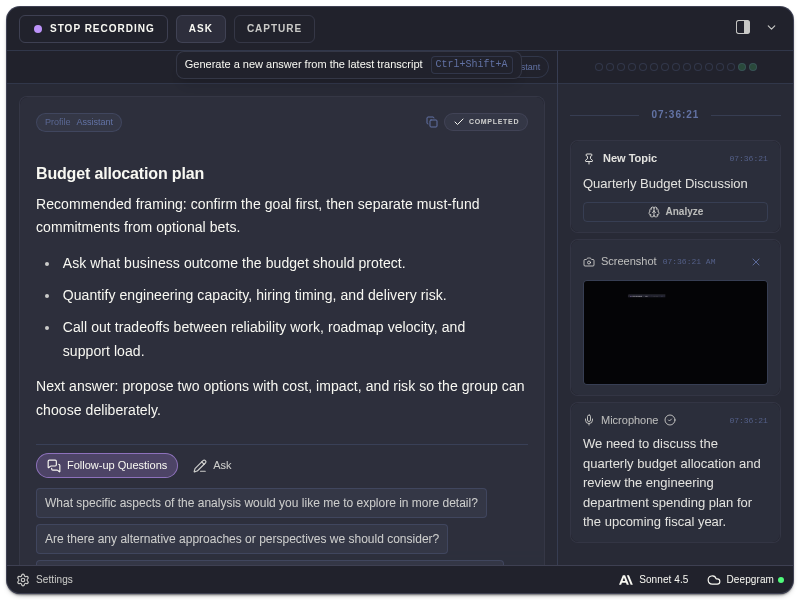
Suggested Follow-Ups
Section titled “Suggested Follow-Ups”Suggested follow-ups are buttons on the completed analysis card. Click one to ask a related question using the current session context and the source analysis.
Custom Questions
Section titled “Custom Questions”Use the Ask box when the suggested follow-ups are not specific enough. Good custom questions are short and direct:
- “Give me edge cases for this prompt.”
- “What tradeoff should I explain next?”
- “Turn this into action items.”
- “What is the risk in this design?”
Copy Analysis
Section titled “Copy Analysis”Use copy controls on an analysis card when you need to move a response into notes, a doc, or another local workflow.
Keyboard Shortcuts
Section titled “Keyboard Shortcuts”If shortcut hints are enabled, follow-up shortcuts can appear on the latest available follow-up buttons. Edit shortcuts in Keyboard shortcuts.
Follow-Up Questions
Section titled “Follow-Up Questions”When should I use suggested follow-ups?
Section titled “When should I use suggested follow-ups?”Use suggested follow-ups when the first analysis is directionally useful and you want to explore tradeoffs, next steps, edge cases, or risks without retyping context.
When should I type a custom question?
Section titled “When should I type a custom question?”Type a custom question when the session has a specific goal, such as preparing a response, asking for concise bullets, or focusing on one screenshot or transcript segment.