
Connect OpenAI Or Codex Subscription
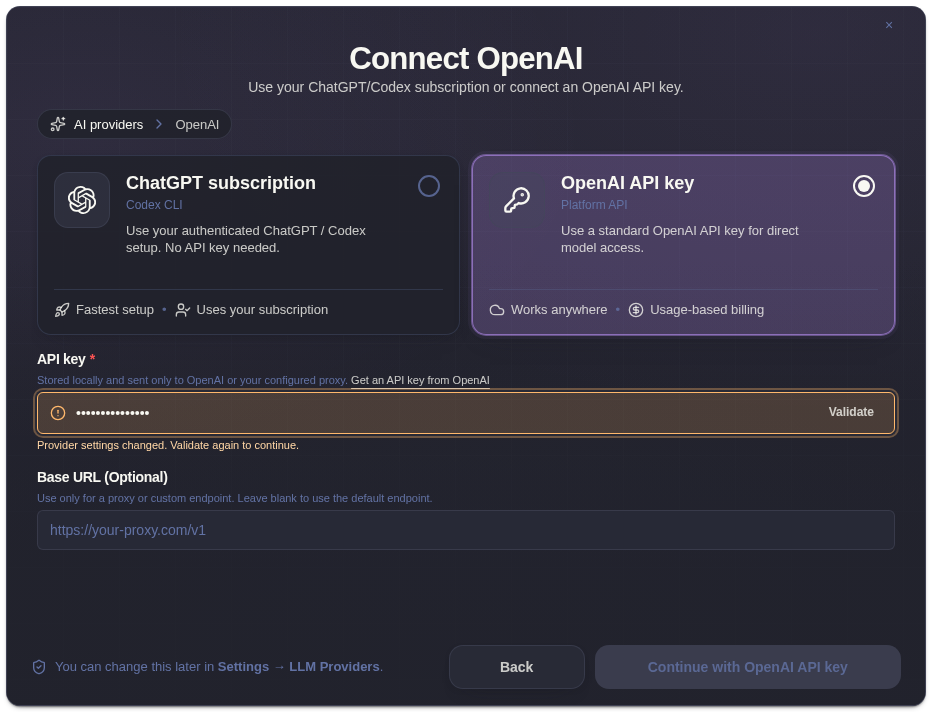
ExtraBrain supports OpenAI API key mode and Codex Subscription mode.
OpenAI API Key Mode
Section titled “OpenAI API Key Mode”Use this mode when you want ExtraBrain to call OpenAI through an API key you manage.
- Open Settings -> LLM Providers.
- Select OpenAI.
- Paste your API key.
- Choose the model and reasoning effort when available.
- Validate the key.
- Run a short analysis to confirm responses come from OpenAI.
Codex Subscription Mode
Section titled “Codex Subscription Mode”Use Codex Subscription when you want ExtraBrain to use your ChatGPT Plus or Pro subscription directly. This mode does not require an API key in ExtraBrain.
- Open Settings -> LLM Providers.
- Choose Codex Subscription.
- Recheck sign-in status.
- Choose the available model.
- Run a test analysis.
Troubleshooting
Section titled “Troubleshooting”If validation fails, check that the key is current, has access to the model you selected, and is not blocked by a proxy or organization policy. For subscription mode, confirm the desktop environment can access the signed-in provider tooling.
OpenAI And Codex Questions
Section titled “OpenAI And Codex Questions”Do I need an OpenAI API key for Codex Subscription mode?
Section titled “Do I need an OpenAI API key for Codex Subscription mode?”No. Codex Subscription mode uses ChatGPT Plus or Pro subscription access directly and does not require an OpenAI API key in ExtraBrain.
What can ExtraBrain send to OpenAI or Codex?
Section titled “What can ExtraBrain send to OpenAI or Codex?”When selected for analysis, ExtraBrain may send prompts, transcript context, screenshot-derived context, and custom questions needed for the response.