
What Is ExtraBrain?
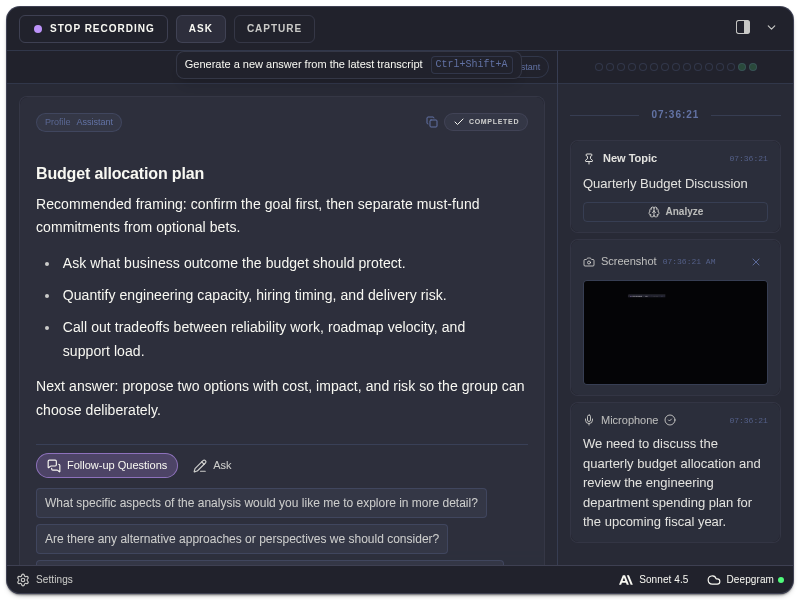
ExtraBrain is a macOS-first live AI assistant. It helps you listen, capture context, and ask for structured help while an interview, meeting, or technical discussion is still happening.
What It Helps With
Section titled “What It Helps With”Use ExtraBrain to:
- transcribe live speech from your microphone and system audio
- capture screenshots for screen context
- ask for analysis from the AI provider you selected
- use profiles for assistant, coding, system design, behavioral, and meeting workflows
- ask follow-up questions without losing the current session context
- review saved session history after the conversation
ExtraBrain is not a hosted meeting bot. It runs on your Mac and does not join calls as a participant.
The Core Workflow
Section titled “The Core Workflow”- Start recording.
- Let the transcript and detected topics build.
- Capture a screenshot when the screen matters.
- Ask ExtraBrain for analysis.
- Use suggested follow-ups or type your own question.
- Review saved session history later if you need to revisit context.
What To Read Next
Section titled “What To Read Next”ExtraBrain Questions
Section titled “ExtraBrain Questions”Is ExtraBrain a meeting bot?
Section titled “Is ExtraBrain a meeting bot?”No. ExtraBrain is a Mac desktop app. It does not join a meeting as a participant, and it works through local app controls, transcription, screenshots, and your selected AI provider.
What makes ExtraBrain different from a web chat tool?
Section titled “What makes ExtraBrain different from a web chat tool?”ExtraBrain is built for live desktop context. It can combine transcript context, screenshot-derived context, profiles, follow-up questions, shortcuts, and local session history while you stay in the current workflow.