
Create Custom Profiles In ExtraBrain Pro
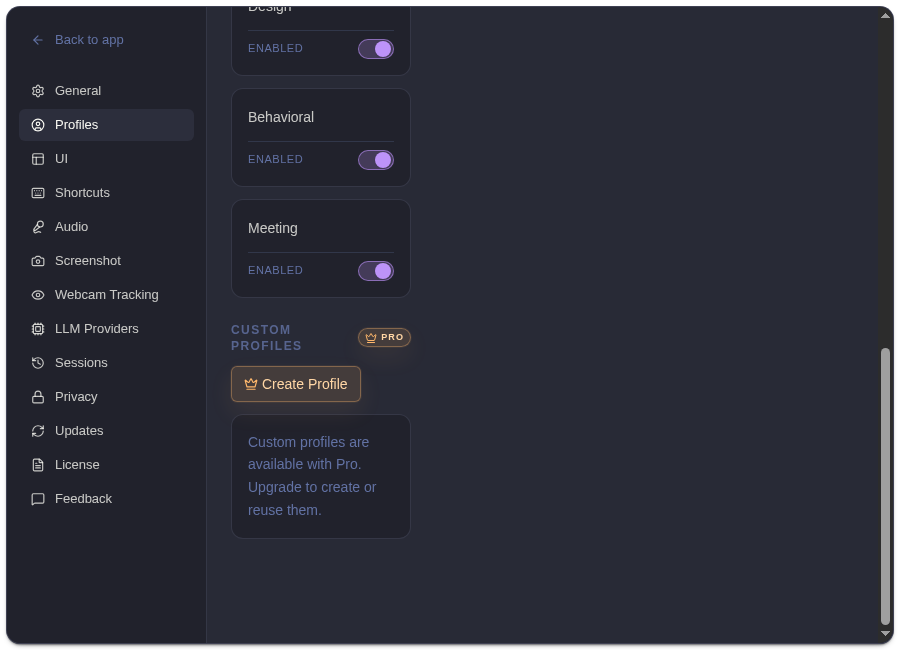
Custom profiles are a Pro feature for saving reusable prompt guidance. Use them when a built-in profile is close but you want more specific behavior. ExtraBrain Pro is $9.99/month, $79/year, or $149 Lifetime, with purchase and activation in Settings -> License.
What A Custom Profile Includes
Section titled “What A Custom Profile Includes”| Field Or Control | Purpose |
|---|---|
| Name | Short label shown in the profile list and profile selector. |
| Description | Reminder of when to use the profile. |
| Prompt | Detailed guidance for how ExtraBrain should analyze and respond. |
| Enabled | Controls whether the custom profile is available. |
| Pin | Makes the profile the active pinned profile. |
| Delete | Removes the custom profile from local settings. |
Profile Settings
Section titled “Profile Settings”Custom profiles can also control workflow behavior:
| Setting | Behavior |
|---|---|
| Expand window on analysis | Opens the expanded window when the profile starts analysis. |
| Start analysis after region screenshot | Runs analysis immediately after a region capture. |
| Use full session context | Gives each analysis more session history when that profile is active. |
Setup Steps
Section titled “Setup Steps”- Activate ExtraBrain Pro.
- Open Settings -> Profiles.
- Choose Create Profile.
- Add a name, description, and prompt.
- Configure profile settings.
- Pin the profile if you want it active by default.
Custom profile text is stored in local settings. When you run cloud-provider analysis, relevant prompt guidance, transcript context, screenshot-derived context, and questions may be sent to the provider you selected.
Related
Section titled “Related”- Use ExtraBrain profiles
- Compare ExtraBrain Free and Pro
- Activate ExtraBrain Pro
- How ExtraBrain handles data
Common Questions
Section titled “Common Questions”Can I create custom profiles without Pro?
Section titled “Can I create custom profiles without Pro?”No. Free users can use the built-in system profiles. Creating and editing custom profiles requires Pro.
What should I put in a custom profile prompt?
Section titled “What should I put in a custom profile prompt?”Describe the response style, constraints, and priorities you want ExtraBrain to follow. Keep it reusable and avoid secrets.