
Configure Screenshot Settings In ExtraBrain
Use Settings -> Screenshot to control how ExtraBrain captures screen context.
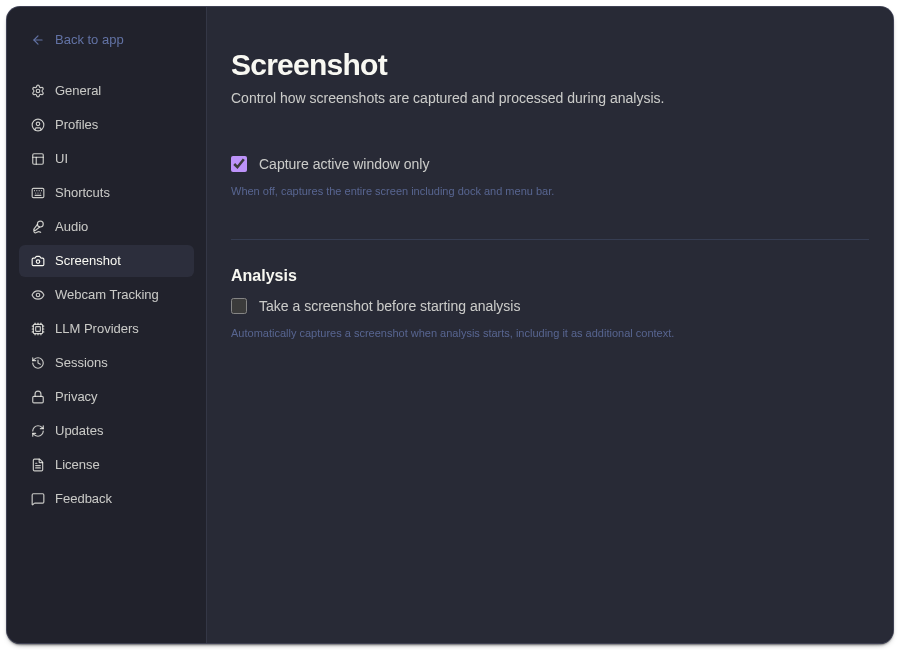
Screenshot Controls
Section titled “Screenshot Controls”| Setting | Behavior |
|---|---|
| Active window | Captures the current active window when possible. |
| Full screen | Captures broader screen context. |
| Capture before analysis | Takes a screenshot automatically before analysis starts. |
Choosing A Mode
Section titled “Choosing A Mode”Use active-window capture when you want ExtraBrain to focus on the app or browser window you are discussing. Use full-screen capture when the relevant context spans multiple visible areas. Use capture-before-analysis when screen context is usually part of the question and you do not want to press Capture manually.
Screenshots and screenshot-derived context can be used in prompts sent to your selected AI provider when you ask for analysis.
Related
Section titled “Related”- Use screenshots and screen context
- Grant macOS permissions
- Privacy controls
- How ExtraBrain handles data
Common Questions
Section titled “Common Questions”Why are screenshots not appearing?
Section titled “Why are screenshots not appearing?”Check macOS screen recording permission, confirm a session is active, and verify the selected capture mode fits the app you are trying to capture.
Should I enable capture-before-analysis?
Section titled “Should I enable capture-before-analysis?”Enable it when screen context is almost always relevant. Leave it off when you usually want transcript-only analysis.