Using ExtraBrain In Interviews
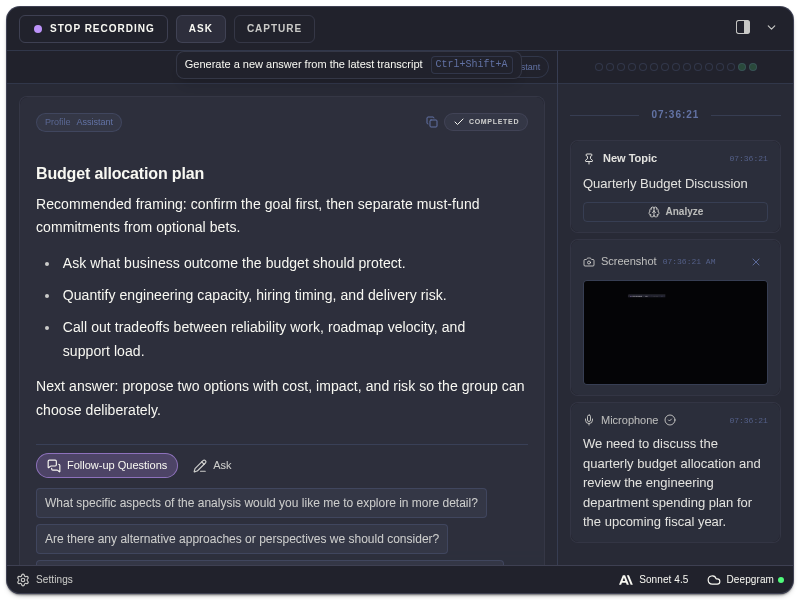
Prepare ExtraBrain before a permitted interview or practice session. Use it to organize constraints, recall your own experience, and ask focused follow-up questions while you remain responsible for the answer.
Before The Interview
Section titled “Before The Interview”- Rehearse with the same microphone, display, and meeting app.
- Confirm permissions, transcription, AI access, and any backup provider.
- Put durable response guidance in Personalization.
- Import a resume or project notes as Reference Documents, and wait for Ready status.
- Choose a profile and check screenshot-before-analysis and privacy controls.
Coding And System Design
Section titled “Coding And System Design”Capture the relevant prompt or code region, or quote the spoken requirement. Ask for explicit structure:
- “Restate the inputs, outputs, constraints, and edge cases.”
- “Compare these approaches with time and space complexity.”
- “Separate requirements, assumptions, components, and failure modes.”
- “Which tradeoff should I explain next?”
Use follow-ups when the interviewer changes a requirement. A stale detection card is not a substitute for the current question; type or quote the exact request when needed.
Behavioral And HR Screening
Section titled “Behavioral And HR Screening”Use your real examples, supported by the resume, notes, or facts you supplied. Ask ExtraBrain to structure them into a concise answer or STAR outline.
The app can also generate profile-fitting example stories. Answers containing invented personal details are marked “generated — fits your profile.” That label means those details are generated, including when an earlier example is shortened or reused. Review names, dates, responsibilities, and outcomes; do not present generated examples as your work history.
During And After
Section titled “During And After”Use short chat requests or profile actions, quote exact transcript passages, and capture only the screen context you need. Afterward, review Session History for summaries and questions about the session.
Screen capture protection can help exclude the overlay, but some apps may still capture it. Test with your actual meeting app. Follow the interviewer, employer, school, and platform rules for AI assistance and recording.