
Settings Overview
ExtraBrain settings are organized by workflow area. Open settings from the main window, then choose the tab you need.
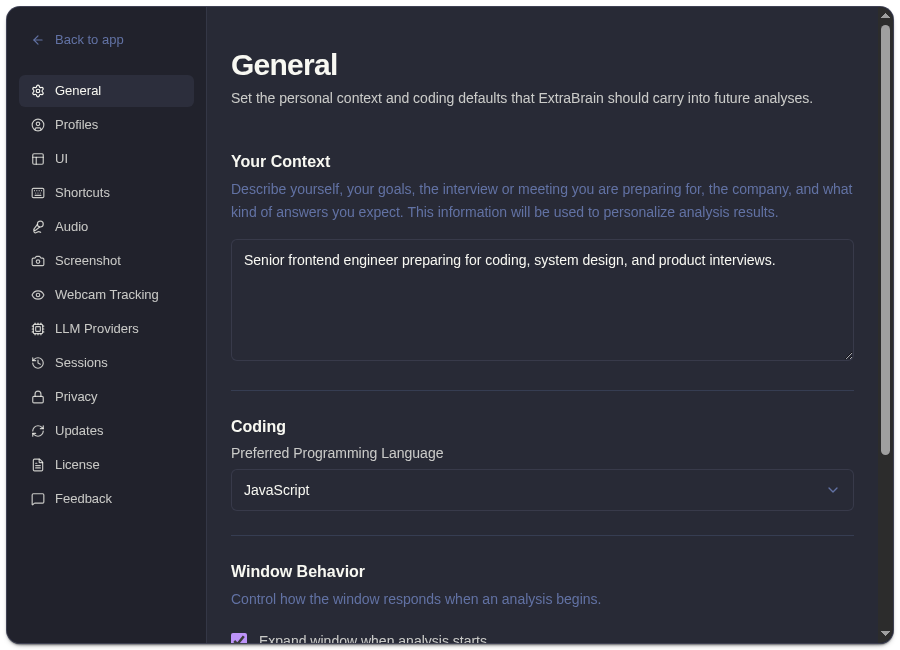
Public Settings Tabs
Section titled “Public Settings Tabs”| Tab | What It Controls |
|---|---|
| General | Personal context, preferred coding language, expand-on-analysis, and latest-analysis display behavior. |
| Profiles | Assistant, coding, system design, behavioral, meeting, and custom profile behavior. |
| UI | Font size, opacity, appearance presets, tips, and code block theme. |
| Shortcuts | Recording, screenshots, analysis, follow-ups, window controls, click-through, and scrolling shortcuts. |
| Audio | Transcription provider, Deepgram key, microphone device, transcript cleanup, and voice trigger. |
| Screenshot | Active-window vs full-screen capture and capture-before-analysis. |
| Webcam Tracking | Experimental presence and gaze tracking controls when exposed in the current build. |
| LLM Providers | OpenAI, Anthropic, Claude Subscription, Codex Subscription, and custom endpoint setup. |
| Sessions | Local session history, transcripts, analyses, facts, screenshots, and deletion. |
| Privacy | Screenshot protection, app visibility, click-through, hover delay, and usage sharing. |
| Updates | Automatic update preference. |
| License | Pro license activation, status, and deactivation. |
| Feedback | Feedback message, optional email, and submit status. |
The Remote tab is development-only and should not be documented as a public feature.
Related
Section titled “Related”- Set up general context and coding language
- Use ExtraBrain profiles
- Customize ExtraBrain appearance
- Configure audio settings
- Configure screenshot settings
- Keyboard shortcuts
- Connect an AI provider
- Privacy controls
- View and delete session history
Settings Questions
Section titled “Settings Questions”Which settings should I check before a live session?
Section titled “Which settings should I check before a live session?”Check Audio, LLM Providers, Screenshot, Privacy, and Shortcuts. These tabs control the capture, provider, screen context, visibility, and command behavior most likely to affect a live workflow.
Should I document or use the Remote settings tab?
Section titled “Should I document or use the Remote settings tab?”No. The Remote tab is development-only and should not be treated as a public help-center feature.