
Manage Automatic Updates In ExtraBrain
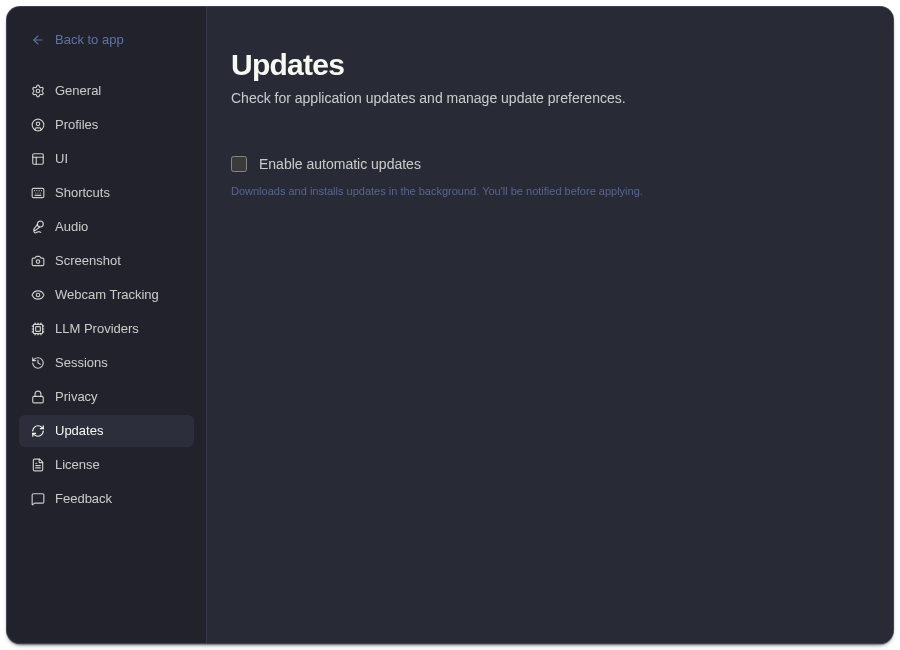
Use Settings -> Updates to control whether ExtraBrain checks for and applies app updates automatically.
What Automatic Updates Do
Section titled “What Automatic Updates Do”| Control | Behavior |
|---|---|
| Automatic updates | Lets ExtraBrain check for newer builds and prepare updates in the background. |
| Update notification | ExtraBrain notifies you before an update needs to be applied. |
Automatic updates help keep provider integrations, permissions handling, and app fixes current. If you disable them, check releases manually before important sessions.
Recommended Workflow
Section titled “Recommended Workflow”- Keep automatic updates enabled for normal use.
- Restart or relaunch when ExtraBrain asks to finish applying an update.
- Before a critical session, open ExtraBrain early enough to let any pending update finish.
Related
Section titled “Related”Common Questions
Section titled “Common Questions”Can I use ExtraBrain while an update downloads?
Section titled “Can I use ExtraBrain while an update downloads?”Yes. Updates are prepared in the background. Apply them when prompted and when it is safe to restart the app.
Should I disable updates before a live session?
Section titled “Should I disable updates before a live session?”Usually no. Instead, open ExtraBrain ahead of time and confirm it is ready before the session starts.