
Troubleshoot Android Phone Control
Start with the latest ExtraBrain Mac app and Android app. iOS is in progress; these steps cover Android.
I Cannot Find Remote On The Mac
Section titled “I Cannot Find Remote On The Mac”Open Settings → System → Remote. If Remote is missing, update ExtraBrain using the download page. Phone Control requires a build configured for the connection service. Keep the Mac awake and ExtraBrain open.
The QR Code Will Not Scan
Section titled “The QR Code Will Not Scan”Open Scan QR code inside ExtraBrain Mobile, rather than the phone’s general camera app. If asked, tap Allow camera. If permission was previously blocked, use Open Settings and allow camera access for ExtraBrain Mobile in Android settings, then return to the app.
Generate a new code on the Mac if its countdown has expired. Keep the full code in view, then check the Mac for the approval request. Scanning alone does not authorize the phone.
If scanning still fails, close the scanner, update both apps, and try again with a fresh code. Never share a pairing code in a support screenshot.
The Phone Is Paired But Will Not Reconnect
Section titled “The Phone Is Paired But Will Not Reconnect”- Confirm the Mac is awake, ExtraBrain is running, and Enable phone controller is on.
- Check internet access on both devices, then bring ExtraBrain Mobile back to the foreground.
- Return to its connection screen and tap Reconnect.
- If you removed the phone from Approved phones, scan a fresh pairing code and approve it again.
The devices can use different networks through the encrypted relay in configured releases. Tailscale is optional. A service outage or restricted network can still prevent connection; try again once connectivity is restored.
I Can Tap Controls But Nothing Happens On My Mac
Section titled “I Can Tap Controls But Nothing Happens On My Mac”Check whether the controller says Sample session. These controls stay on this phone. Sample mode is for exploring the interface. Return to the pairing screen and scan your Mac’s code to use live controls.
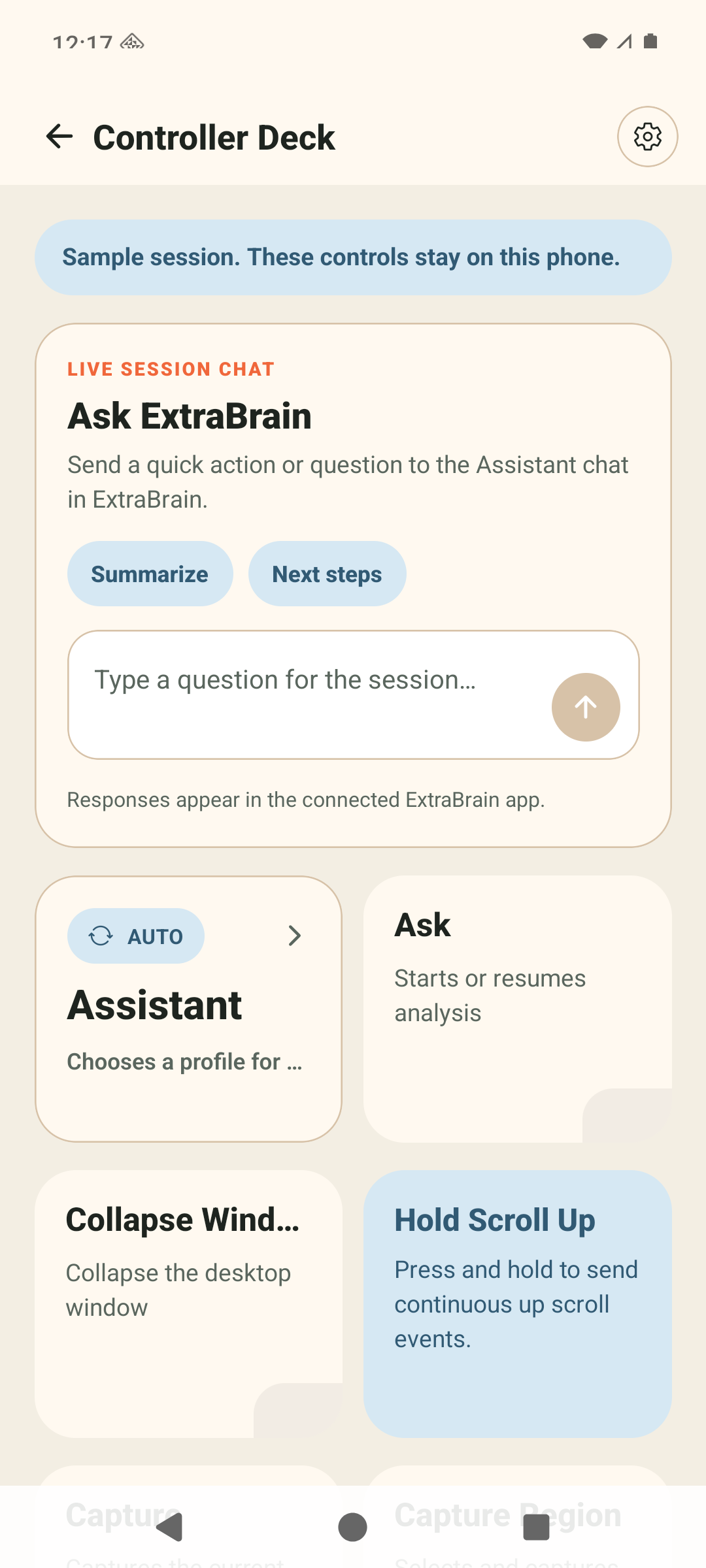
For a live connection, check the Mac’s session status, AI provider setup, and capture permissions. Some controls are unavailable until the Mac has relevant content or an active session. Region capture needs you to finish the selection on the Mac.
Where Are My Answers?
Section titled “Where Are My Answers?”Read answers in ExtraBrain on your Mac. The phone is a controller and does not receive transcript text, answer text, or desktop preview frames. See the controls guide.
Remove A Lost Or Unwanted Phone
Section titled “Remove A Lost Or Unwanted Phone”On the Mac, open Settings → System → Remote → Approved phones, choose Remove for that device, and confirm. Use Disconnect phone to end the current connection, or disable the phone controller entirely.
If you still need help, send feedback with your Android version, both app versions, and the visible error. Leave out pairing codes and private session content.