
Use ExtraBrain AI And Credits
ExtraBrain AI is managed by ExtraBrain and needs no separate model-provider account or API key. Open Settings → AI Providers → ExtraBrain AI or select it during onboarding.
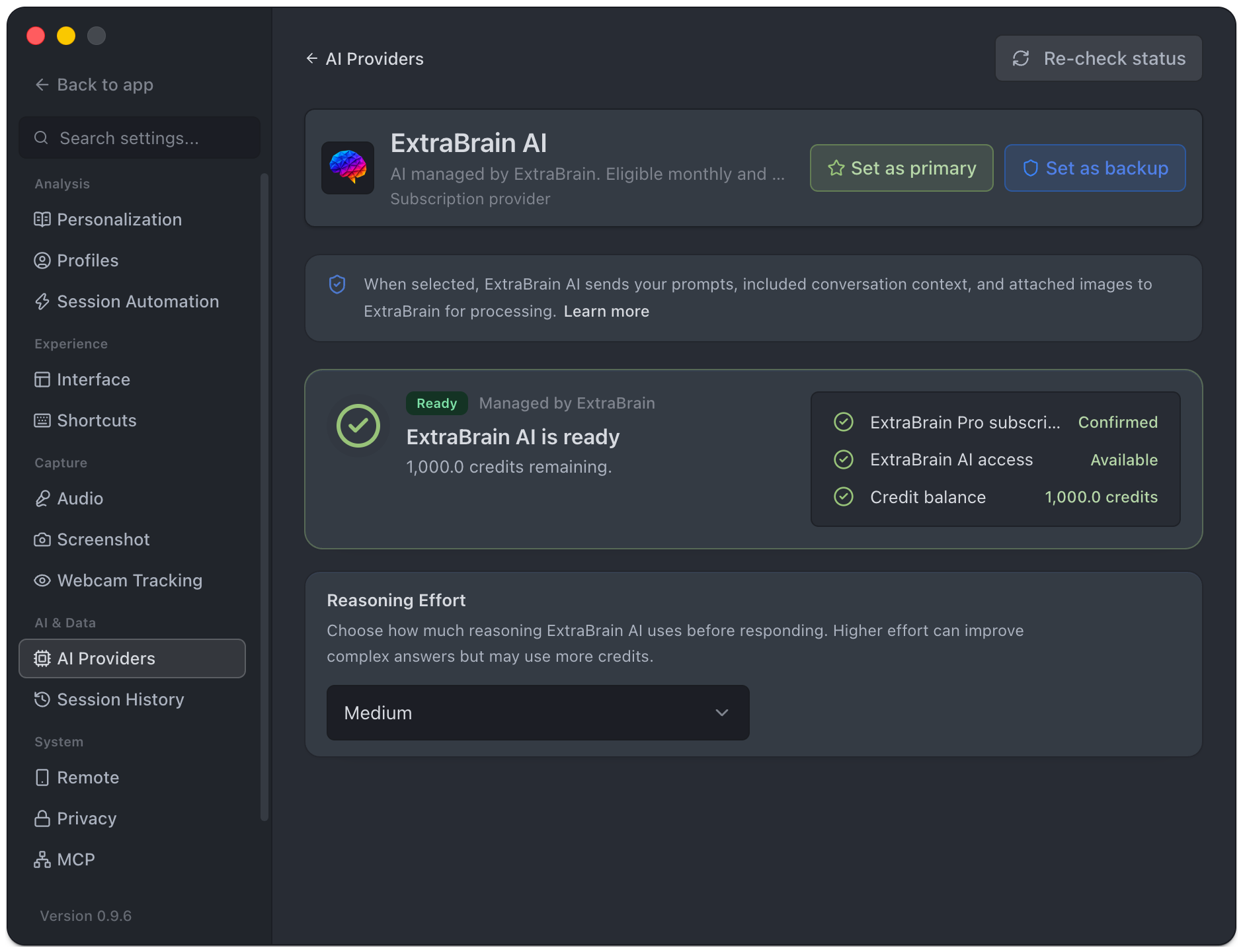
Confirm Access
Section titled “Confirm Access”- Activate or restore Pro Monthly, Pro Yearly, a Job Search Pass, or a Pro trial in Plan & Billing.
- Open ExtraBrain AI and choose Re-check status.
- Wait for plan eligibility and credit balance to load.
- When access is ready and credits are positive, assign it as primary or backup.
- Run a short test question.
Pro Monthly, Pro Yearly, and the Job Search Pass include 1,000 credits each month, and the 14-day Pro trial includes 500 credits. Lifetime unlocks Pro features but does not include ExtraBrain AI credits, so the app shows ExtraBrain AI as not included with that plan. Unused credits do not roll over, and credits cannot be bought separately. See Billing And Pro Plan for every plan.
Status And Recovery
Section titled “Status And Recovery”| Status | What to do |
|---|---|
| Pro required | Activate, restore, or choose an eligible plan. |
| Not checked / Checking | Re-check and wait for the result. |
| Ready | Select the provider and use the displayed balance. |
| No credits | Re-check after your balance changes or choose another ready provider. |
| Not included | Review the plans offered in Plan & Billing. |
| Temporarily unavailable | Try the status check again later or use a configured backup. |
Reasoning effort controls how much reasoning the service uses before responding. Higher effort may use more credits. The balance is a credit allowance, not a fixed number of questions.
Data And Billing
Section titled “Data And Billing”When selected, ExtraBrain AI sends prompts, included conversation context, and attached images to ExtraBrain for processing. Disabling analytics uploads does not stop requests you send through this provider. Your own OpenAI, Anthropic, Deepgram, or other account remains separately billed when you select it.