
Privacy And Data Handling
This privacy overview points to the current detailed privacy guides and summarizes the most important data-flow distinction.
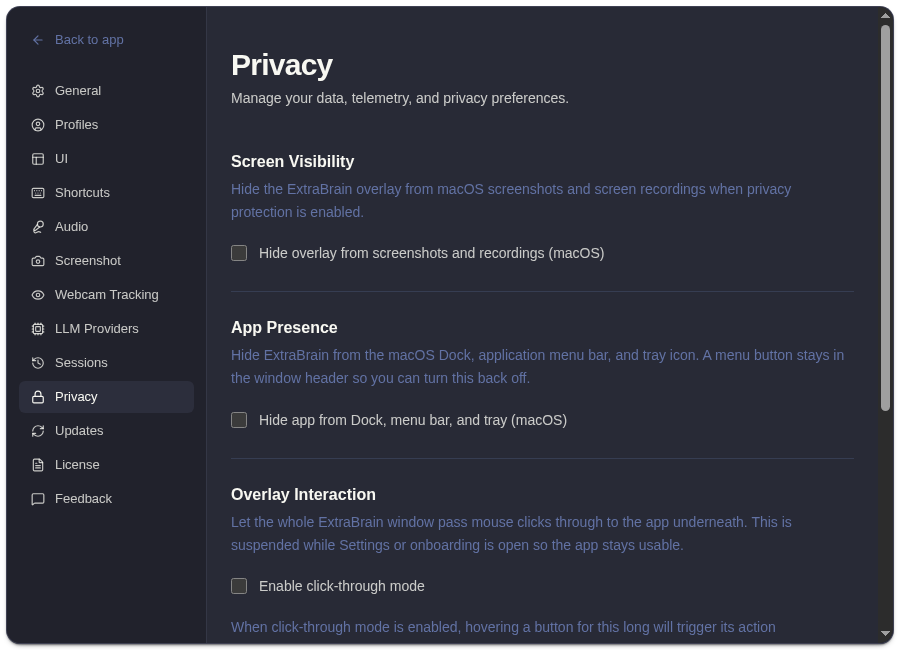
Key Takeaways
Section titled “Key Takeaways”ExtraBrain privacy is controlled by the data path you choose for transcription, screenshots, prompts, model requests, provider credentials, and local session history.
-
Local Parakeet transcription can keep speech-to-text work on the Mac.
-
Local Gemma 4 can keep AI prompts local when it is installed and compatible with the Mac.
-
External model providers can receive transcript text, screenshot-derived context, prompts, and notes when you ask ExtraBrain to use them.
-
Optional Deepgram can receive audio for cloud transcription when you configure it.
ExtraBrain stores settings, API keys, local session history, and local Parakeet transcription data on your Mac. When you use a cloud LLM provider, relevant text, transcript context, screenshot-derived context, and prompts may be sent to the provider you selected. When you choose Deepgram, audio is sent to Deepgram for transcription. Anonymous usage sharing can be disabled.
Privacy Checklist
Section titled “Privacy Checklist”- Use Local Parakeet when audio transcription should stay on the Mac.
- Review the LLM provider you select before sending sensitive transcript or screenshot-derived context.
- Disable anonymous usage sharing if you do not want usage data shared.
- Delete local session history you no longer need.
- Follow interview, workplace, school, and customer policies before using AI assistance.
Privacy Questions
Section titled “Privacy Questions”Does ExtraBrain send everything to a server?
Section titled “Does ExtraBrain send everything to a server?”No. ExtraBrain stores settings, API keys, and local session history on your Mac. Cloud providers receive context only when your selected workflow sends content to them.
Can screenshot context leave my Mac?
Section titled “Can screenshot context leave my Mac?”Yes, screenshot-derived context may be sent when you ask a cloud LLM provider for analysis. Use privacy controls and provider choice to match the session.