
Set Up AI Providers
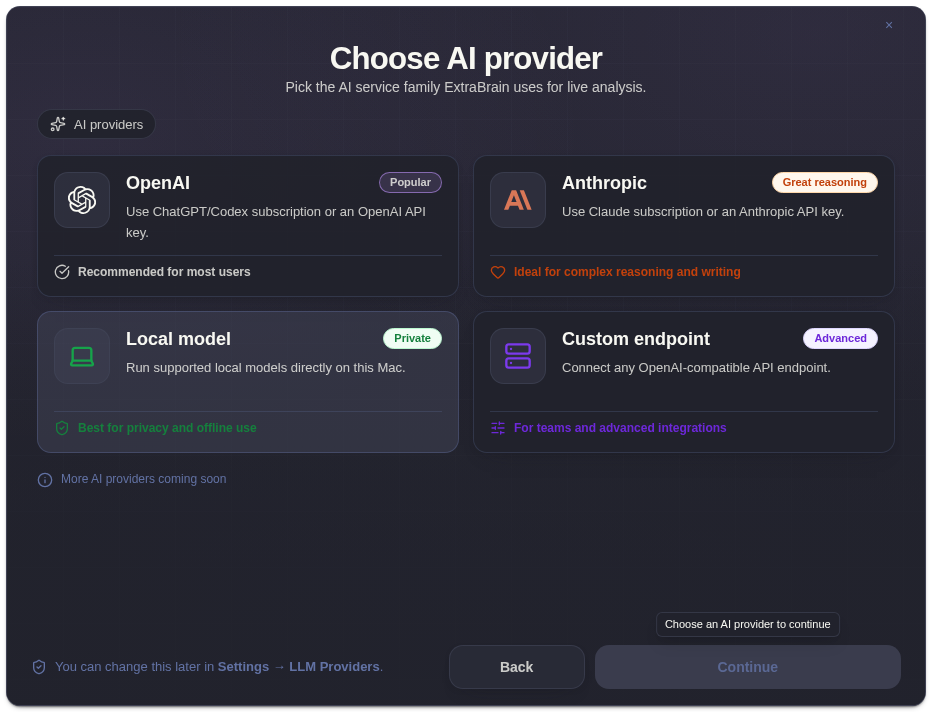
Use this overview when you need to choose which provider guide matches your setup. ExtraBrain supports API-key providers, subscription provider modes, and custom OpenAI-compatible endpoints.
Key Takeaways
Section titled “Key Takeaways”An ExtraBrain AI provider is the model path the app uses when it turns transcript, prompt, screenshot, or session context into live analysis.
-
ExtraBrain supports Google Gemma 4 local AI, OpenAI, Anthropic, Claude Subscription, Codex Subscription, and custom OpenAI-compatible endpoints.
-
API key modes require current provider credentials; subscription modes use the signed-in subscription path supported by the app.
-
Provider validation should be tested once before a live interview, meeting, lecture, or research call.
-
Provider billing, retention, model access, and quota are controlled by the provider account you choose.
Provider Setup Checklist
Section titled “Provider Setup Checklist”- Decide whether you want API key mode, subscription mode, or a custom endpoint.
- Open Settings -> LLM Providers.
- Enter the required provider details.
- Validate or recheck the provider connection.
- Run one test analysis.
- Review How ExtraBrain handles data before using sensitive context.
Provider Questions
Section titled “Provider Questions”Do I need an API key for every provider mode?
Section titled “Do I need an API key for every provider mode?”No. OpenAI and Anthropic API key modes require keys. Claude Subscription and Codex Subscription modes use subscription access and do not require an API key in ExtraBrain.
What should I check if provider validation fails?
Section titled “What should I check if provider validation fails?”Confirm the key, model access, base URL, subscription status, and network access. Custom endpoints also need the exact model name expected by the endpoint.